HRD Corp
Human Resources Development Corporation
- Home
- Projects
- STEAR
- About
About HRD Corp
HRD Corp (Human Resource Development Corporation) is a central government agency in Malaysia that operates under the Ministry of Human Resources (MOHR). Its primary mandate is to drive the upskilling and reskilling of the Malaysian workforce to support the country’s transition toward a high-income economy.
Core Operations &Mechanisms
HRD Corp is Malaysia’s workforce development agency that collects a mandatory monthly levy from eligible employers and channels these funds back through training grants to support employee upskilling and professional development.
Through its digital ecosystem, including the eTRiS portal, employers can manage levy payments, apply for grants, and submit reimbursement claims. HRD Corp also ensures training quality by accrediting training providers and certifying trainers through structured programs such as Train-The-Trainer (TTT).
Beyond grant administration, the agency drives national human capital development through initiatives like the e-LATiH online learning platform and various employment and talent development programs.
The Project & Modules
Role Description
As a Lead UI/UX Designer, I oversee the design and user experience of digital products, ensuring they are intuitive, visually appealing, and user-friendly. My role involves leading a team of designers, collaborating with stakeholders, conducting user research, and creating wireframes, prototypes, and high-fidelity designs. I focus on optimizing the user journey, improving usability, and maintaining consistency across all design elements to enhance overall user satisfaction and engagement.
Design Process & Deliverables
In my current role, I follow a streamlined UI Design Development Process. It starts with gathering requirements, followed by research, wireframing, prototyping, and creating high-fidelity designs. I collaborate closely with developers and iterate designs based on feedback, ensuring a user-centered and technically feasible outcome.
1. Requirement Gathering
Receive and review user stories provided by the Product Owner.
2. Research and Analysis
Conduct detailed research to understand the requirements outlined in the user stories.
3. Wireframing
Develop wireframes to outline the basic structure and layout of the UI, ensuring alignment with user stories and requirements.
4. Design Drafting
Translate the wireframes and prototypes into high-fidelity UI designs, incorporating detailed design elements
5. Initial Proposal and Collaboration
Present the first draft of the UI design in a grooming session. Collaborate with developers to gather feedback and discuss technical feasibility
6. Iteration
Refine the UI design based on feedback from the grooming session and further collaboration with the development team.
7. Submission and Asset Transfer
Finalize and submit the UI design to the development team for implementation
Project Contributions & Results
Effective collaboration and structured workflows are essential for successful UI/UX teams. By using a sprint-based approach, teams can manage projects efficiently, ensuring continuous progress and adaptability. This workflow guides UI/UX teams from receiving a project brief to reflecting on completed work, promoting continuous improvement and high-quality deliverables.
UI/UX Agile Design Workflow
Effective collaboration and structured workflows are essential for successful UI/UX teams. By using a sprint-based approach, teams can manage projects efficiently, ensuring continuous progress and adaptability. This workflow guides UI/UX teams from receiving a project brief to reflecting on completed work, promoting continuous improvement and high-quality deliverables.
Product & Tech Collaborations
Here’s an outline of how deliverables are managed between Prod and Tech: The process is cyclical and adapts according to task and sprint planning. Both teams collaborate closely to ensure alignment and adjust workflows as needed throughout each sprint.
Design System
I led the creation of HRD Corp DLS, establishing a structured and scalable foundation for product design across the platform. This includes defining reusable UI components, interaction patterns, typography, color systems, and design guidelines to ensure consistency, efficiency, and a unified user experience across all modules.
NHCCE Super Apps Module
Project Overview
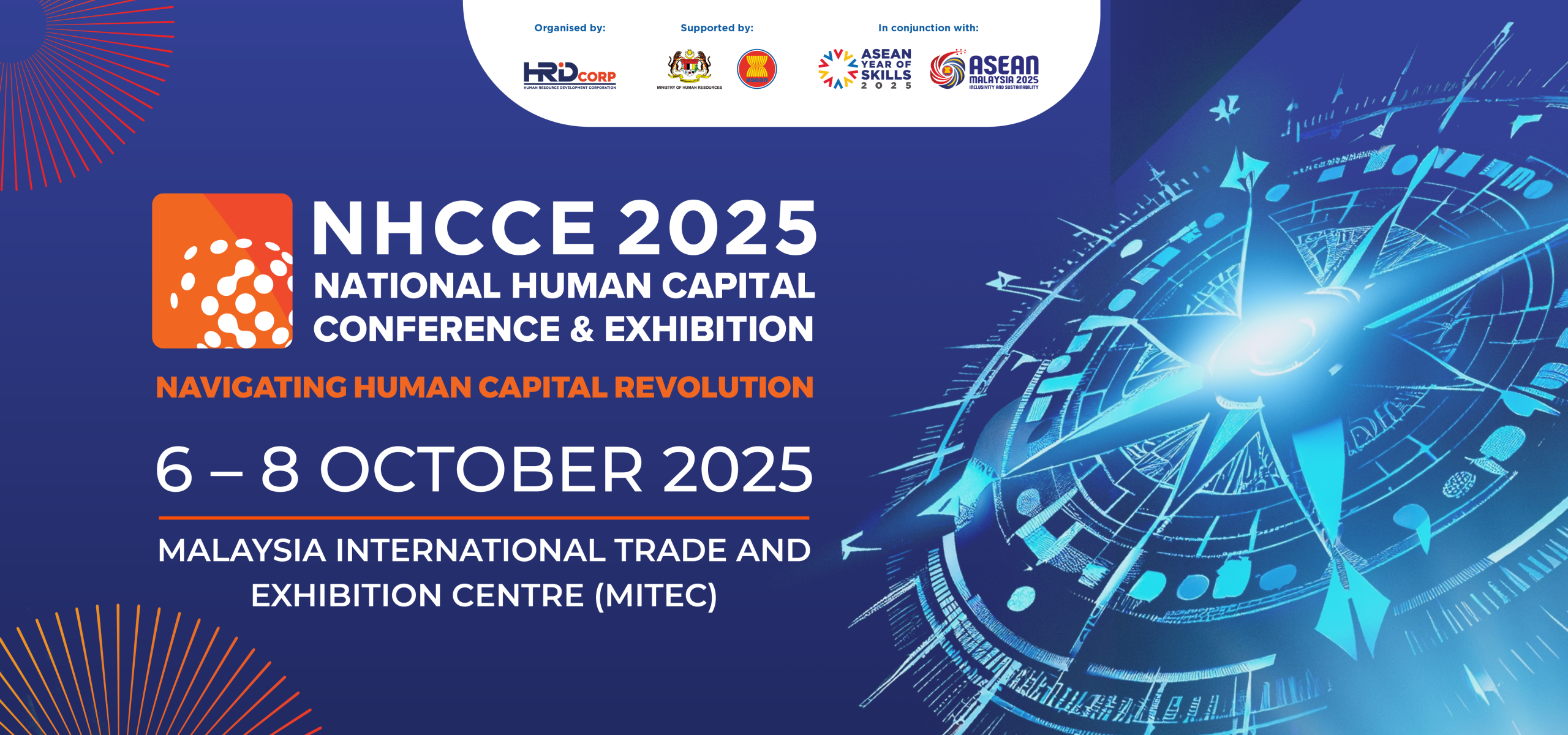
NHCCE stands for the National Human Capital Conference & Exhibition. It is HRD Corp’s annual flagship event and stands as Southeast Asia’s largest human capital and workforce development conference.
Problem Statement
Traditional large-scale corporate conferences face significant operational disconnects:
Attendees struggle to track multiple session tracks, speaker bios, and locations simultaneously.
Networking between thousands of attendees is chaotic and inefficient without structured matchmaking tools.
Exhibitors lack a reliable, automated way to track booth traffic and engage passive visitors.
Goal / Objective
All-in-One Hub: Combine the agenda, venue maps, speaker directories, and profile management into one app.
Boost Networking: Streamline business matchmaking to help employers maximize their training levy use.
Increase Engagement: Use gamification and interactive voting to drive physical traffic to over 160 exhibitor booths.
Challenges
Multi-User Access: Managing separate secure login portals for HRD Corp staff, registered delegates, general visitors, and ASEAN dignitaries.
Real-Time Updates: Handling heavy concurrent traffic for live Q&A sessions, calendar bookings, and schedule reminders.
Booth Traffic Verification: Creating an error-free, digital way to confirm that an attendee actually visited a physical exhibition booth.
Key Features & Solutions
1. Smart Networking & Matchmaking
BizMatch: Connects employers with training providers to optimize levy utilization and continuous learning.
Appointment Booking: Allows users to pick a date, time, and location (like the BizMatch Lounge) to secure 1-on-1 meetings.
Delegate Chat: Direct in-app messaging to instantly connect with other attendees.
2. Interactive Exhibitor Features
Booth Tracking & Verification: Tracks total booths visited out of 162, updating status to Visited once an exhibitor scans the attendee’s personal QR code.
Exhibitor Voting: Allows attendees to cast up to 5 total votes (maximum 1 per vendor) for their favorite exhibitors.
“Triple Quest” Gamification: Incentivizes attendees to complete any 3 event tasks (e.g., taking selfies at booths, playing booster zone games, using official hashtags) to win prizes verified by staff.
3. Program & Event Operations
Multi-Track Agenda: Breaks down daily schedules into Conference Keys, BizMatch, and Activities with built-in push reminders.
Speaker & Partner Directories: Full profiles for industry speakers—including dedicated bios and session tracks—as well as direct links to official partner websites.
Digital Floor Plan: A visual map layout of the exhibition space to help users find specific booths.
4. Live Audience Engagement
Live Q&A via Slido: Allows attendees to submit and view questions in real time during panel discussions.
Social Wall: Displays a live, aggregated feed of social media posts using the official
#NHCCE2025hashtag.
Persona 1: The Corporate Delegate (Primary User)
“Ahmad Syazwan” | Senior HR Manager
Age: 36
Industry: Corporate Services / Manufacturing Sector
Location: Shah Alam, Selangor
Levy Status: Active HRD Corp Contributing Employer
“I need to discover actionable future-workforce strategies while maximizing our corporate training levy, but with thousands of people here, my time must be optimized.”
Goals & Objectives at NHCCE 2025:
Attend critical panel discussions on the Future-Ready Workforce without missing high-priority networking windows.
Identify vetted training institutions to strategically deploy his company’s pooled HRD Corp training levy.
Secure 1-on-1 strategic collaborations with top-tier talent development leaders.
How They Use the Super App:
BizMatch & Appointments: Uses the matching engine to screen training providers and locks in 1-on-1 meetings at the BizMatch Lounge before the event even starts.
Itinerary Planner: Builds a personalized day-to-day agenda with active push notifications so he never misses Keynotes or Plenary addresses.
Live Q&A (Slido): Actively submits questions directly to speakers from his phone while sitting in the main hall.
Persona 2: The Trade Exhibitor / Sponsor
“Elena Choong” | Head of Business Development
Age: 29
Organization: AI-Native Recruitment Solutions (Tech Startup)
Location: Bangsar South, Kuala Lumpur
Booth Assignment: Booth G14 (Exhibitor Hall)
“We invested heavily in our exhibition booth space. My priority is converting high-volume foot traffic into verified corporate leads and making our brand stand out on the floor.”
Goals & Objectives at NHCCE 2025:
Drive maximum physical attendance to Booth G14 to pitch their product suite to passing HR managers.
Easily verify and log every single high-value professional contact that visits their space.
Build brand authority and win community recognition during the multi-day event.
How They Use the Super App:
QR Verification: Scans the personalized QR codes of delegates and visitors walking up to her booth to automatically log them as a verified visit in the app database.
Gamification Hook: Leverages the app’s Triple Quest engine by encouraging passing attendees to take selfies at her booth to unlock their prize check-ins.
Voting Hub: Promotes her team’s profile to secure delegate votes directly within the exhibitor directory rankings.
Persona 3: The General Visitor
“Muhammad Farhan” | Independent Corporate Trainer & Consultant
Age: 42
Industry: Professional Coaching & Learning Development
Location: Seremban, Negeri Sembilan
Access Level: Registered Visitor (via Evenesis Platform Integration)
“I’m here to network with potential clients, gauge the latest market demands, and check out what the major exhibitors are offering this year.”
Goals & Objectives at NHCCE 2025:
Connect with corporate delegates who might need specialized in-house training services.
Explore the layout to study competing consulting methodologies and learning products.
Participate in open stage activities and experience the general event floor dynamics.
How They Use the Super App:
Digital Floor Plan: Uses the mobile venue map to navigate through sponsor clusters and plan his walking route seamlessly.
Social Wall: Keeps an eye on the running social media feed using the
#NHCCE2025hashtag to spot real-time hot spots or trending topics on the floor.The Triple Quest: Actively participates in floor games at the Booster Zone and updates his quest checklist to earn exclusive event merchandise.
Overview of NHCCE 2025 Apps Module
The NHCCE 2025 Super App is the official mobile platform created by HRD Corp for the National Human Capital Conference & Exhibition 2025. Held from 6–8 October 2025 at MITEC, Kuala Lumpur, under the theme “Navigating Human Capital Revolution,” the app digitizes the event experience for delegates, speakers, visitors, and exhibitors.
Apps Demo
This module presents an interactive mobile application demo designed for the NHCCE 2025 event ecosystem. The UI prototype focuses on high-efficiency user flows, seamlessly integrating cross-functional features like speaker profiles, live Q&A modules, delegate networking tools, and gamified exhibitor check-ins into a unified, responsive layout.
UI Design
The mobile UI design is clean, clear, and easy to use. It helps users quickly find key event features like the exhibitor lists, 1-on-1 appointment bookings, BizMatch training paths, and speaker profiles.
Loading Viewer...
MyBaju (Internal System)
Project Overview
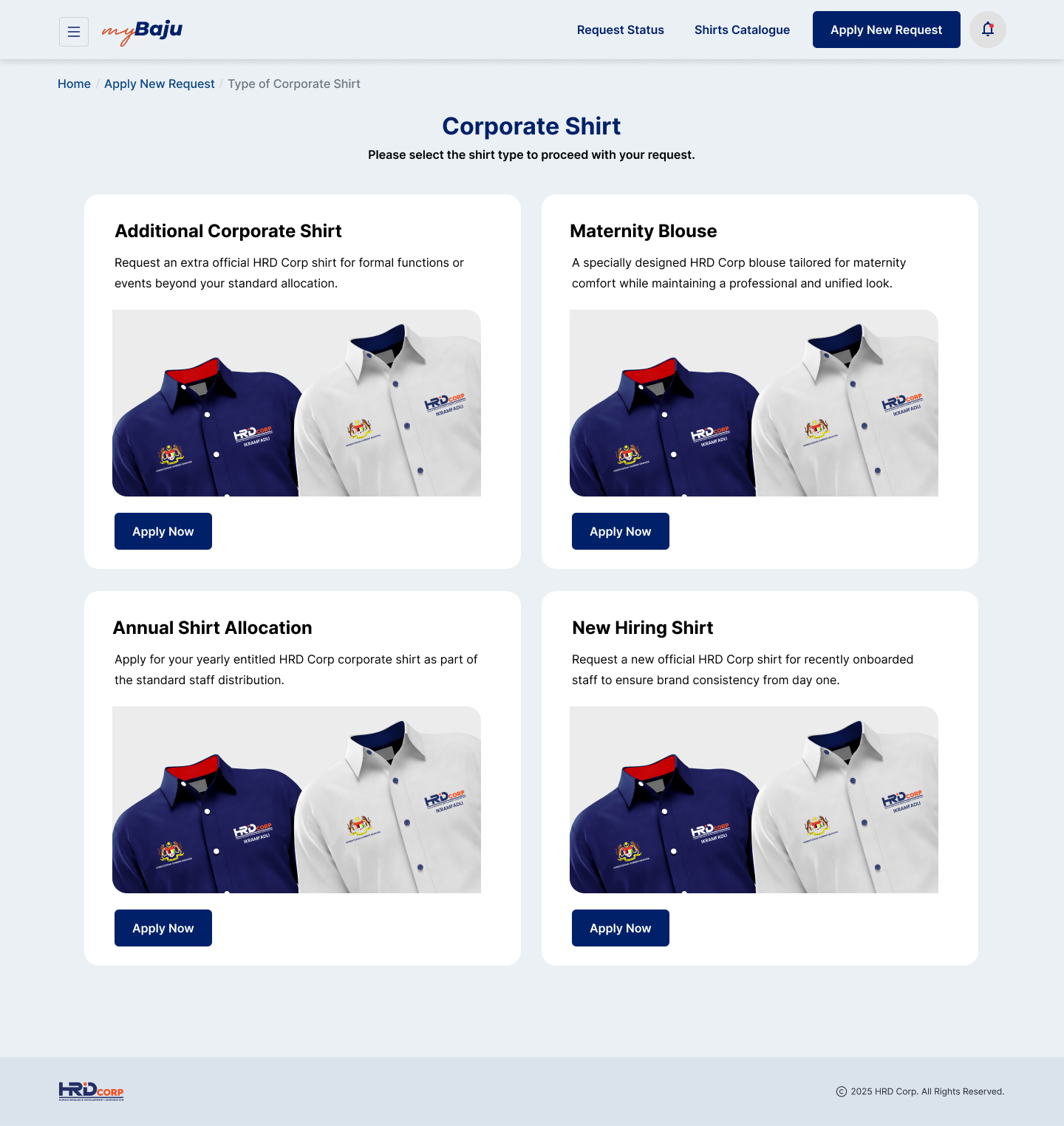
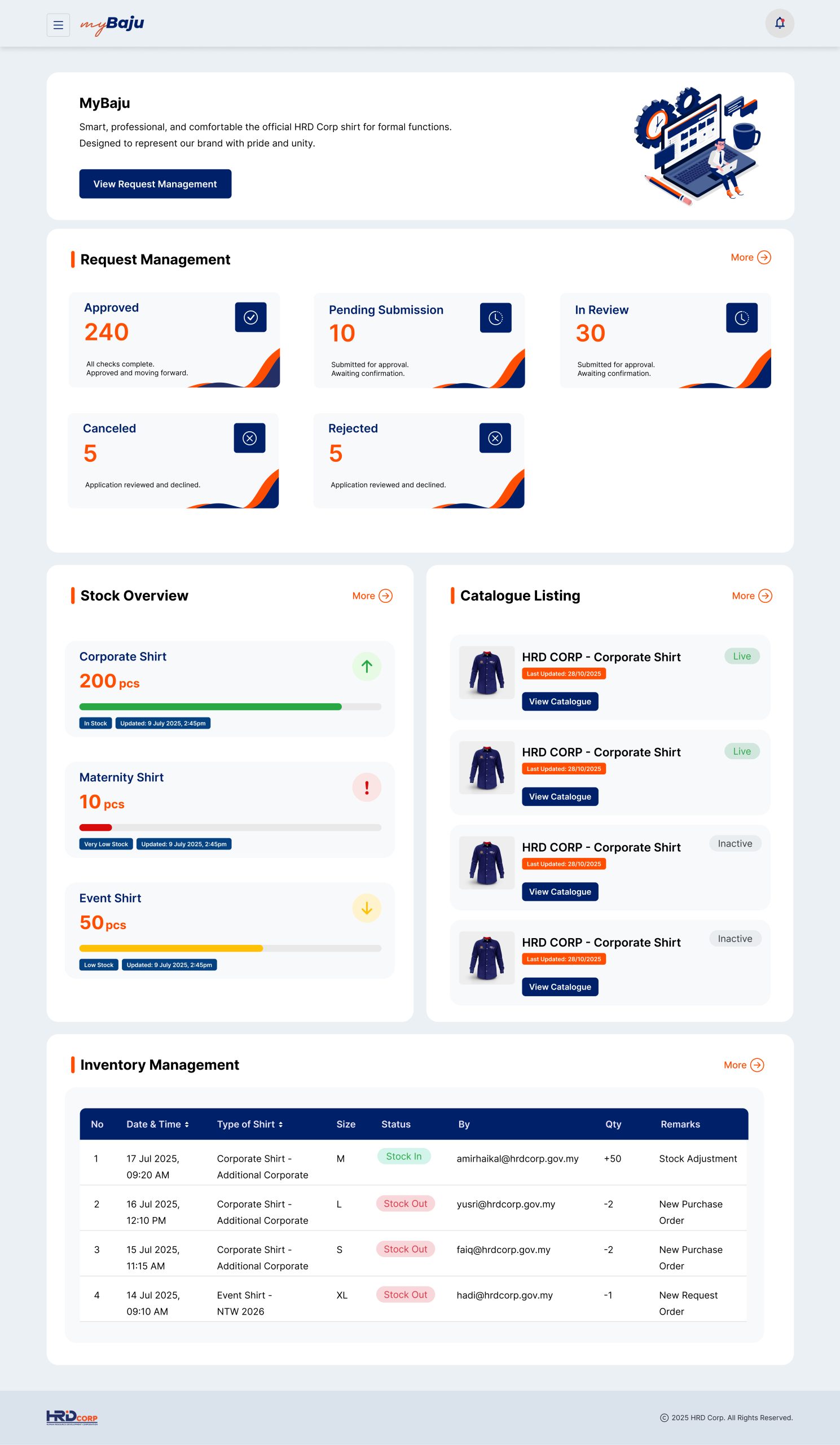
myBaju is an internal corporate logistics and fulfillment platform developed for HRD Corp to streamline and centralize employee apparel management. Operating on an “on-demand” model, the platform manages the end-to-end lifecycle of corporate shirts, event attire, maternity blouses, and new hiring kits. By digitizing what was previously a manual process, myBaju provides real-time tracking, transparent request stages, and stock monitoring, acting as a single source of truth for both HRD Corp employees and the procurement team.

Problem Statement
Before the introduction of myBaju, HRD Corp’s internal apparel distribution suffered from clear logistical inefficiencies:
Fragmented Request Workflows: Employees lacked a centralized system to check sizing, request standard annual allocations, or order specialized items (such as maternity or event shirts), resulting in chaotic email and paperwork chains.
Lack of Tracking & Transparency: Staff had no visibility into their order status once a request was made, creating communication gaps and repetitive follow-ups with HR or finance teams.
Manual Validation and Review Bottlenecks: Managing pricing offsets, checking physical submissions (such as printing and signing PDF request receipts for finance department validation), and cross-referencing manager approvals were completed through manual spreadsheet tracking, leading to fulfillment delays and human error.
Goal / Objective
The primary objective of myBaju is to build a lean, clear, and efficient corporate fulfillment portal that achieves the following:
Provide absolute transparency: Allow employees to track requests at every step of the journey, from initial draft and pending review to ready-for-collection.
Minimize administrative burden: Eliminate offline paperwork by providing automated request forms, instant cost calculators, and digital PDF downloads.
Enforce clean governance: Implement an step-by-step verification process ensuring proper admin validation, financial reconciliation, and verification before apparel handoff.
Key Features & Solutions
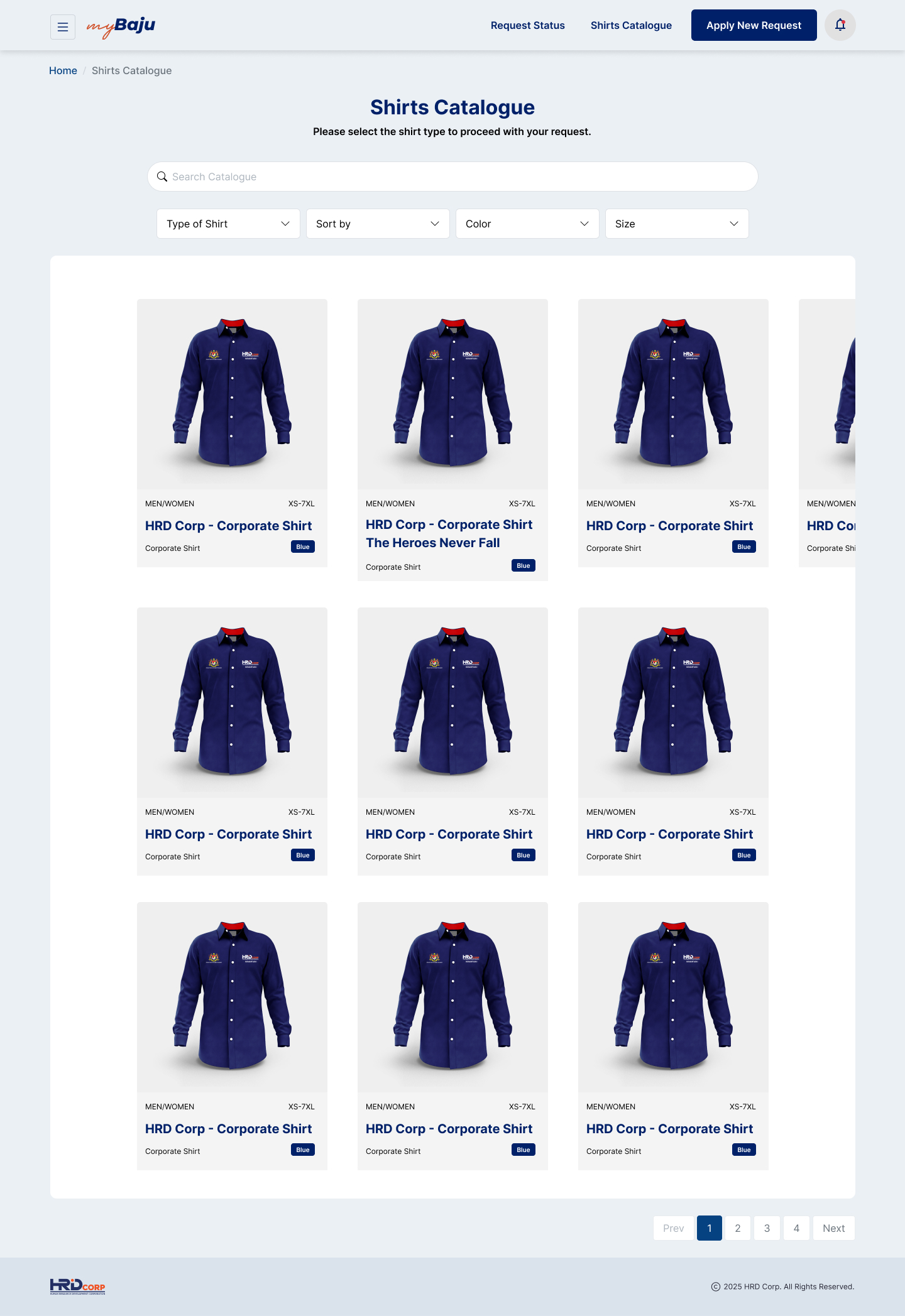
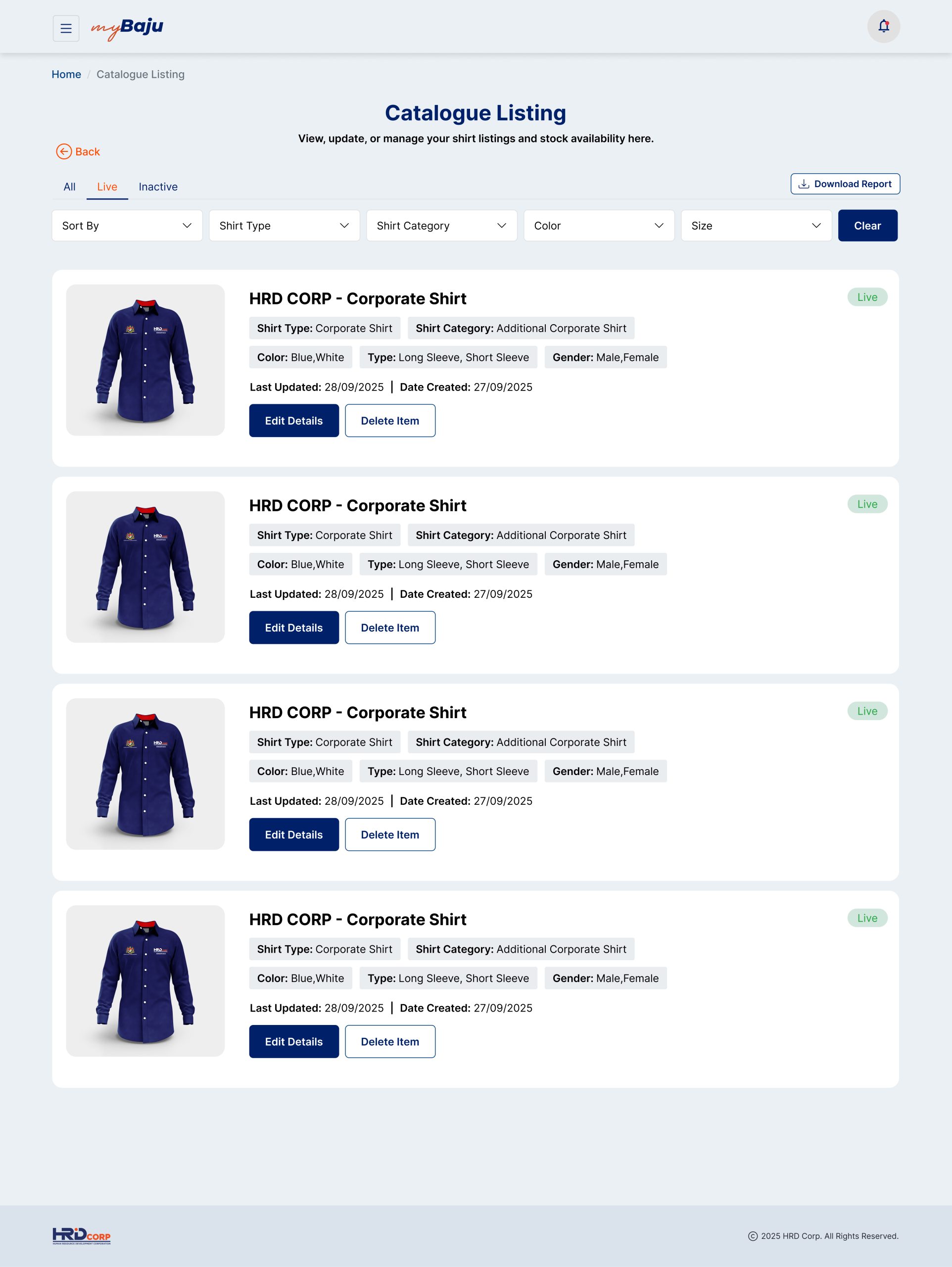
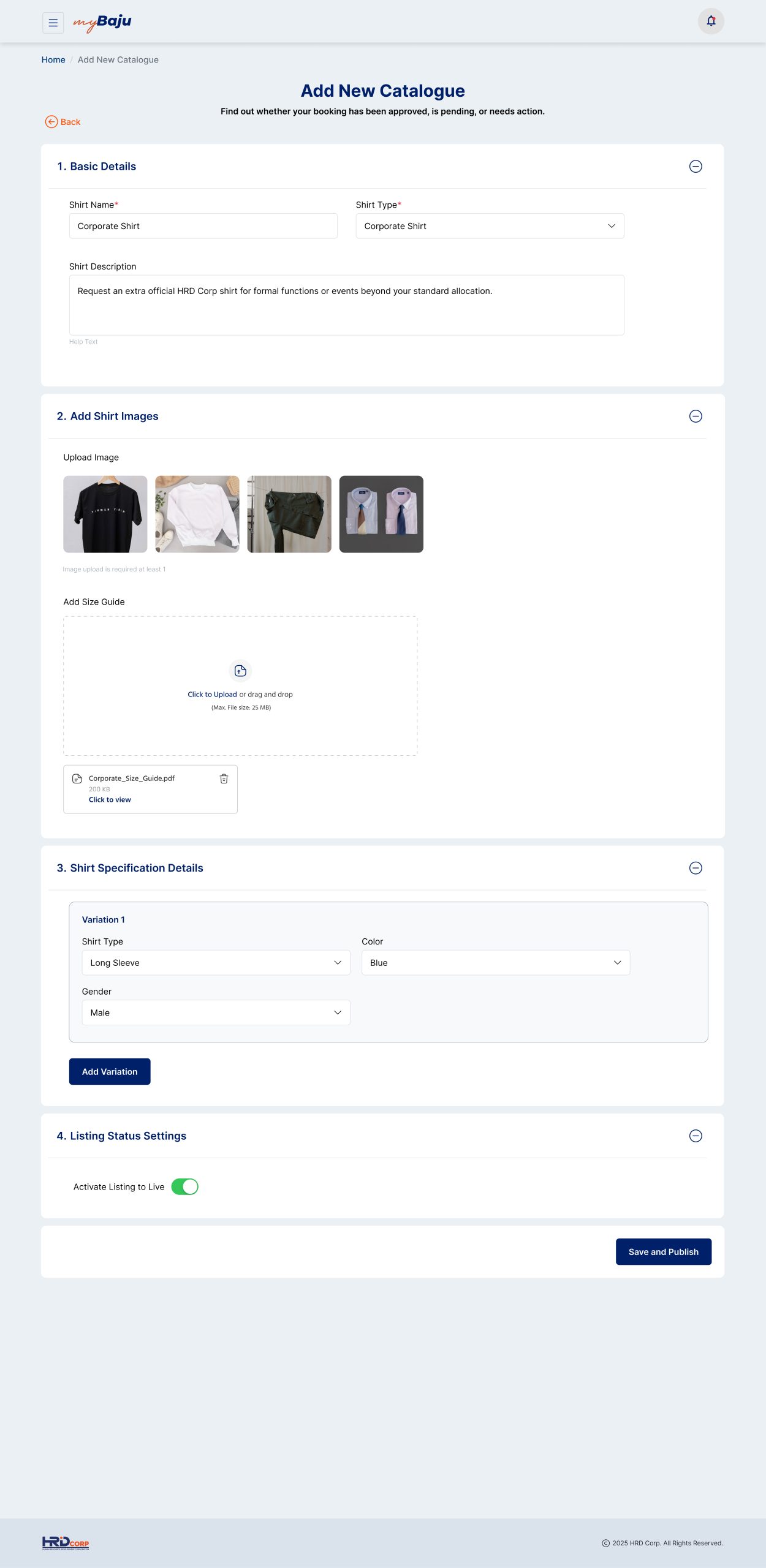
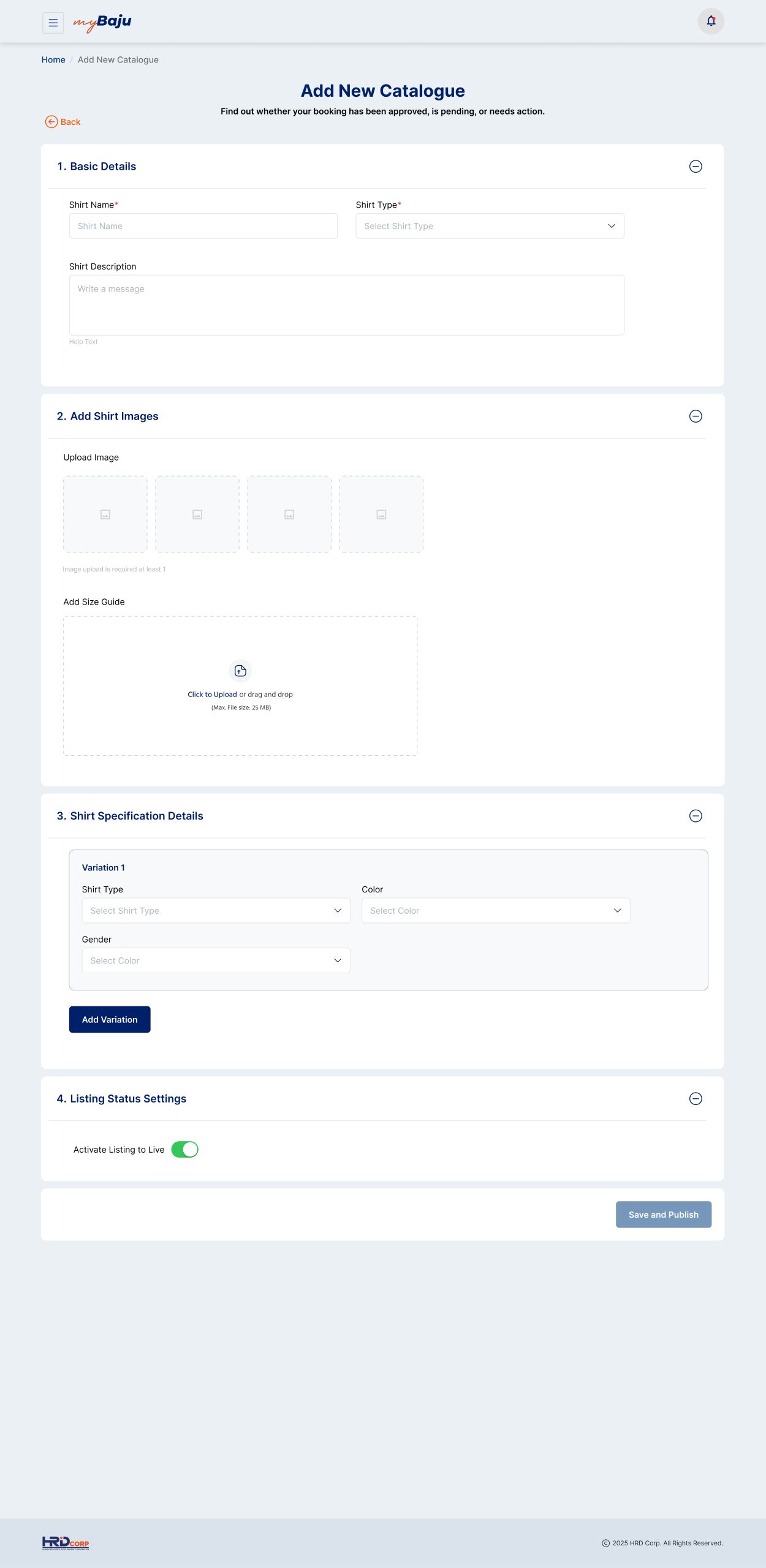
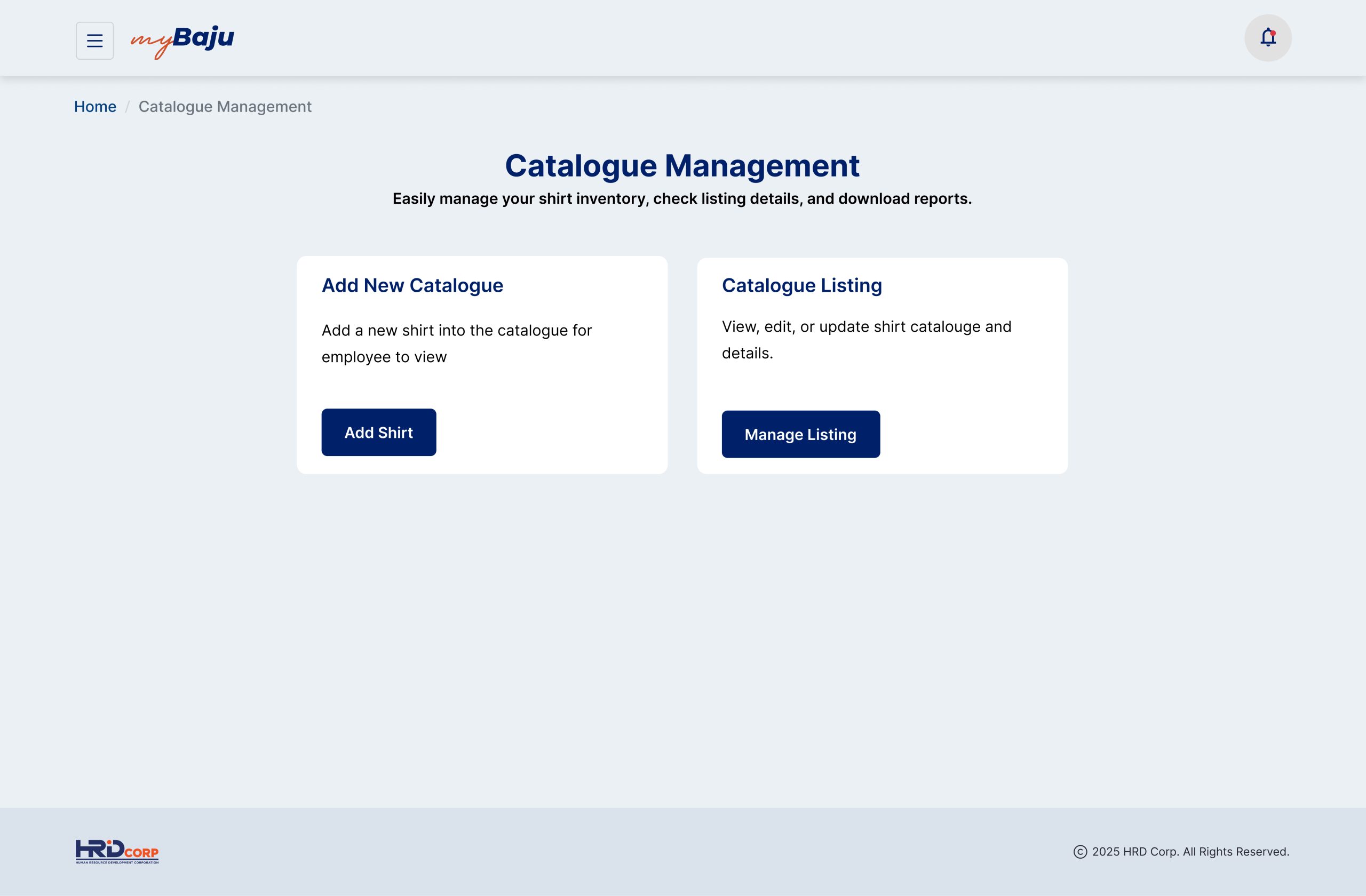
1. Smart Apparel Catalog & Selection
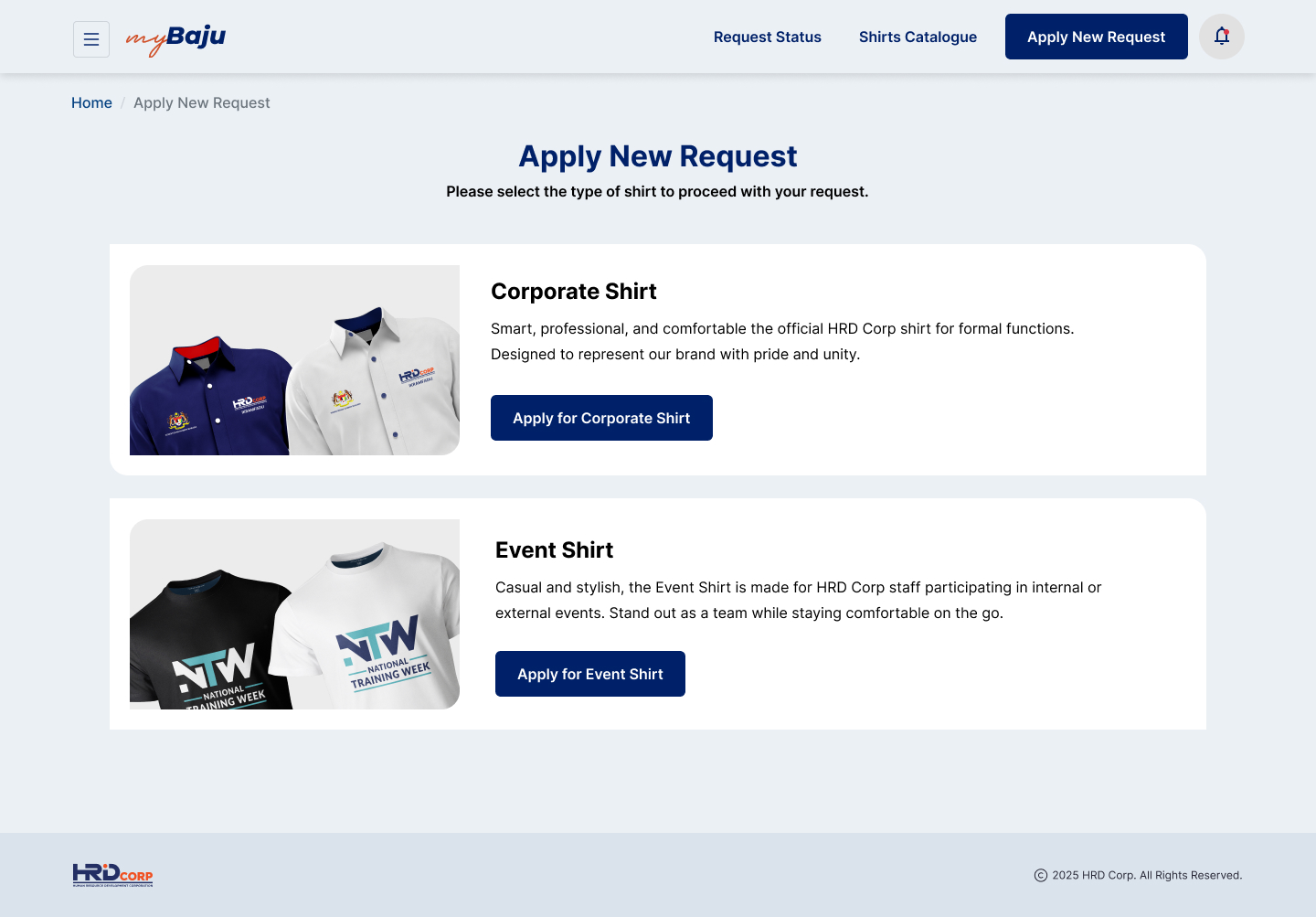
Categorized Shirt Tracking: Separates apparel options clearly between formal Corporate Shirts and casual Event Shirts (such as National Training Week / NTW attire).
Tailored Allocation Paths: Features separate ordering flows for Annual Shirt Allocations, Additional Corporate Shirts (paid orders), customized Maternity Blouses, and New Hiring Kits.
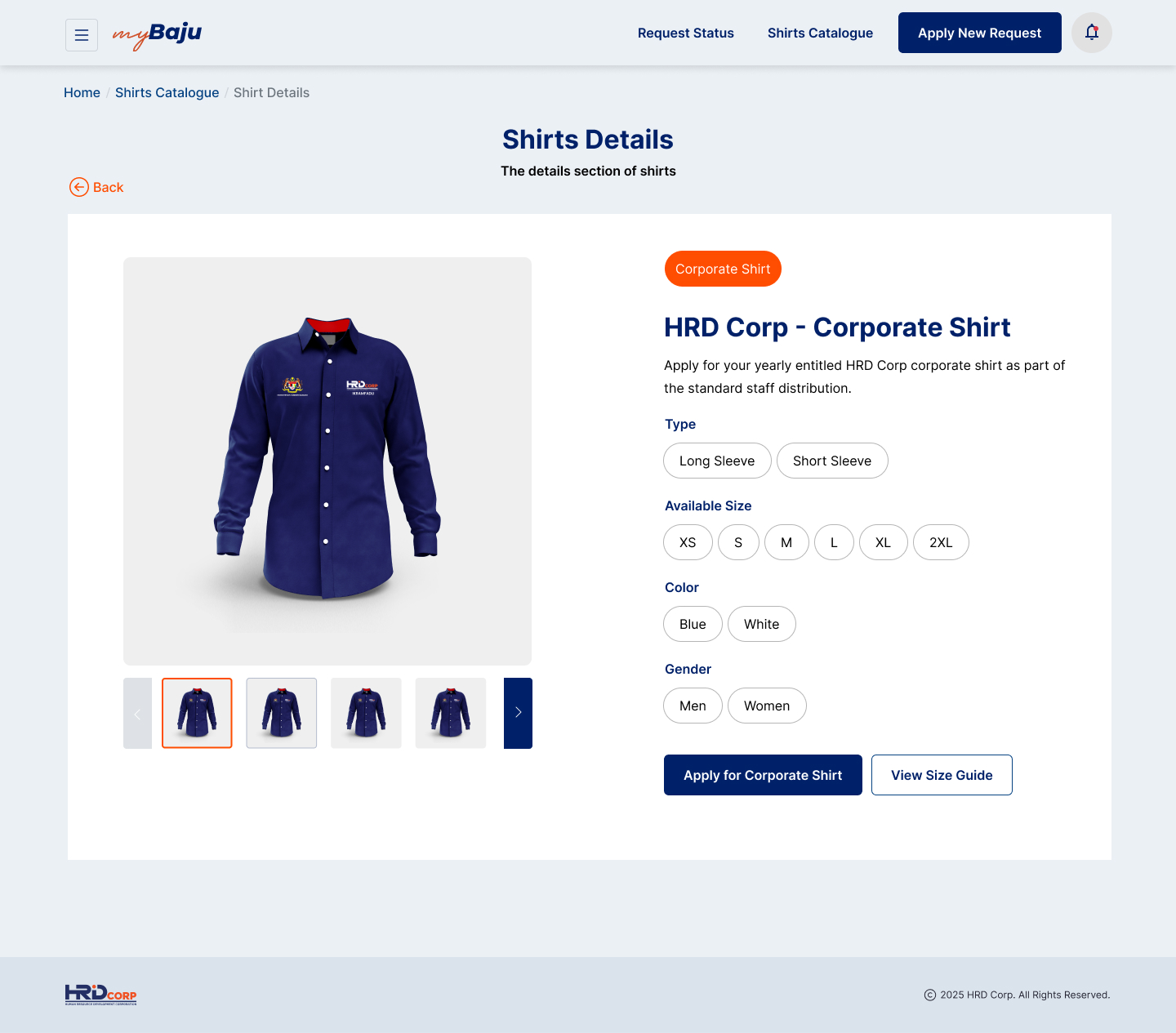
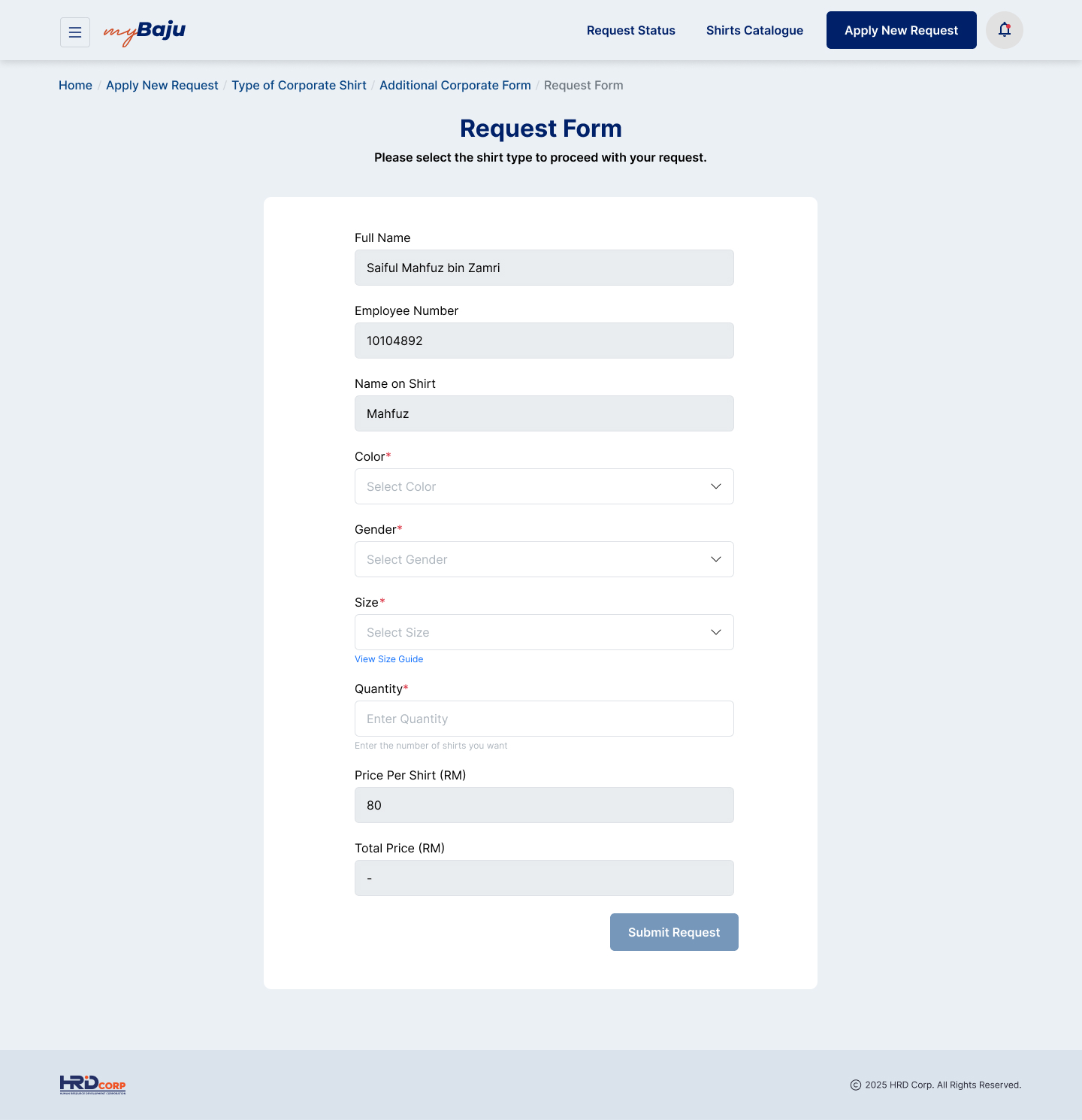
Interactive Sizing Profiles: A simple form allows employees to choose sizes, fabric colors, quantities, and input custom name-embroidery text.
2. Clear Process & Order Verification
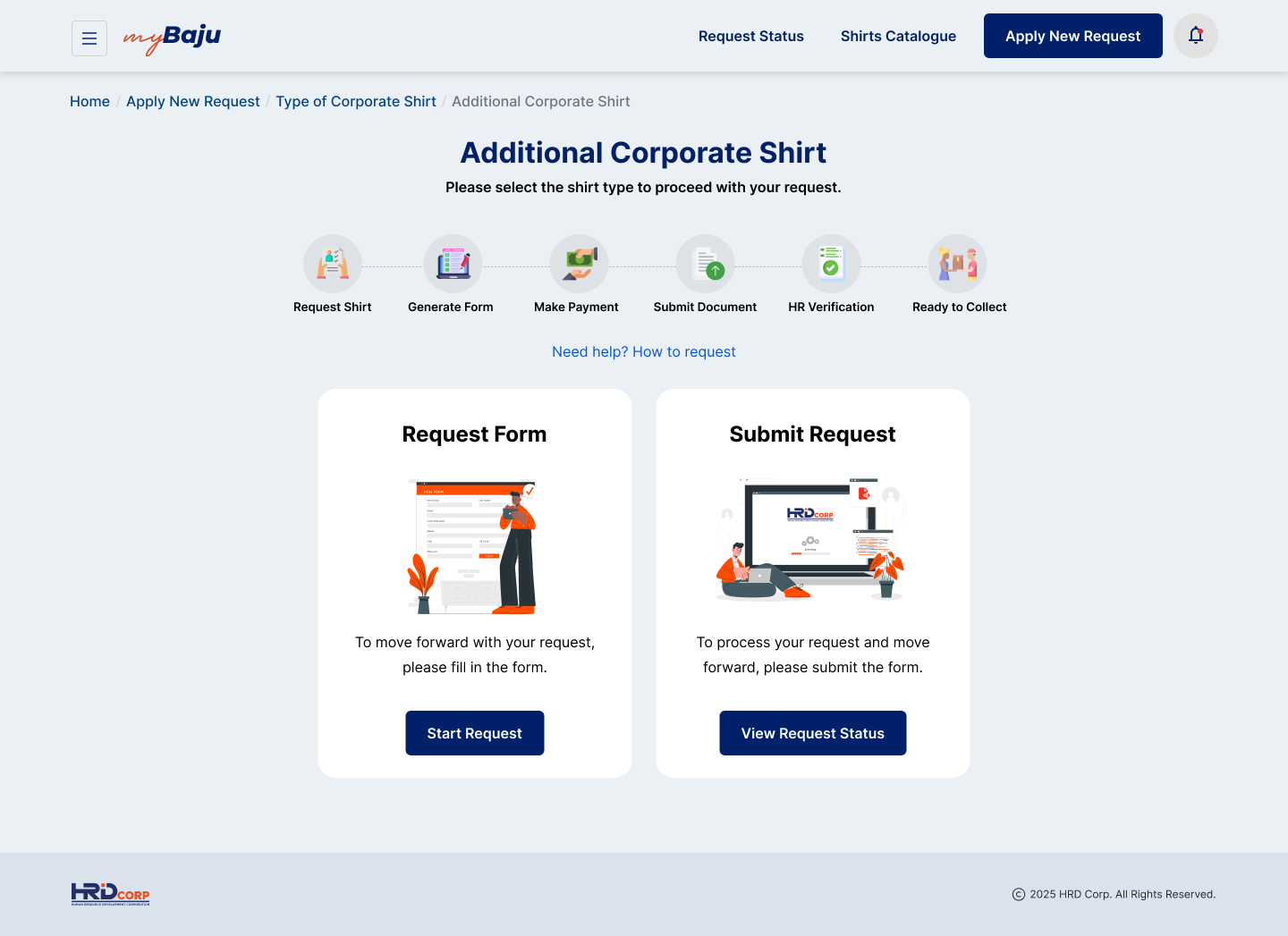
Linear Progress Tracker: Displays a visual step indicator at the top of the screen showing exactly where the order stands (Request Shirt → Generate Form → Make Payment → Submit Document → HR Verification → Ready to Collect).
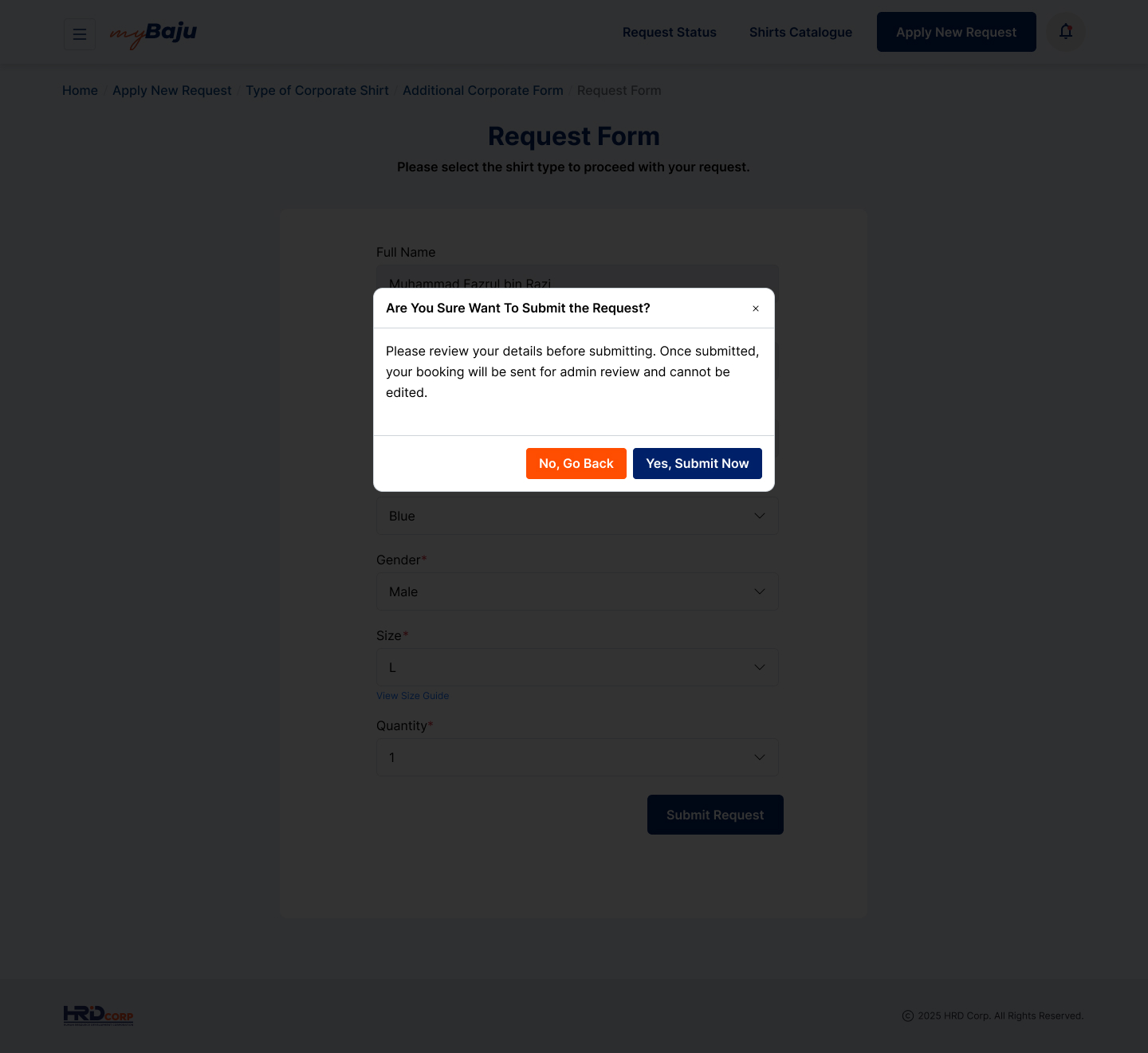
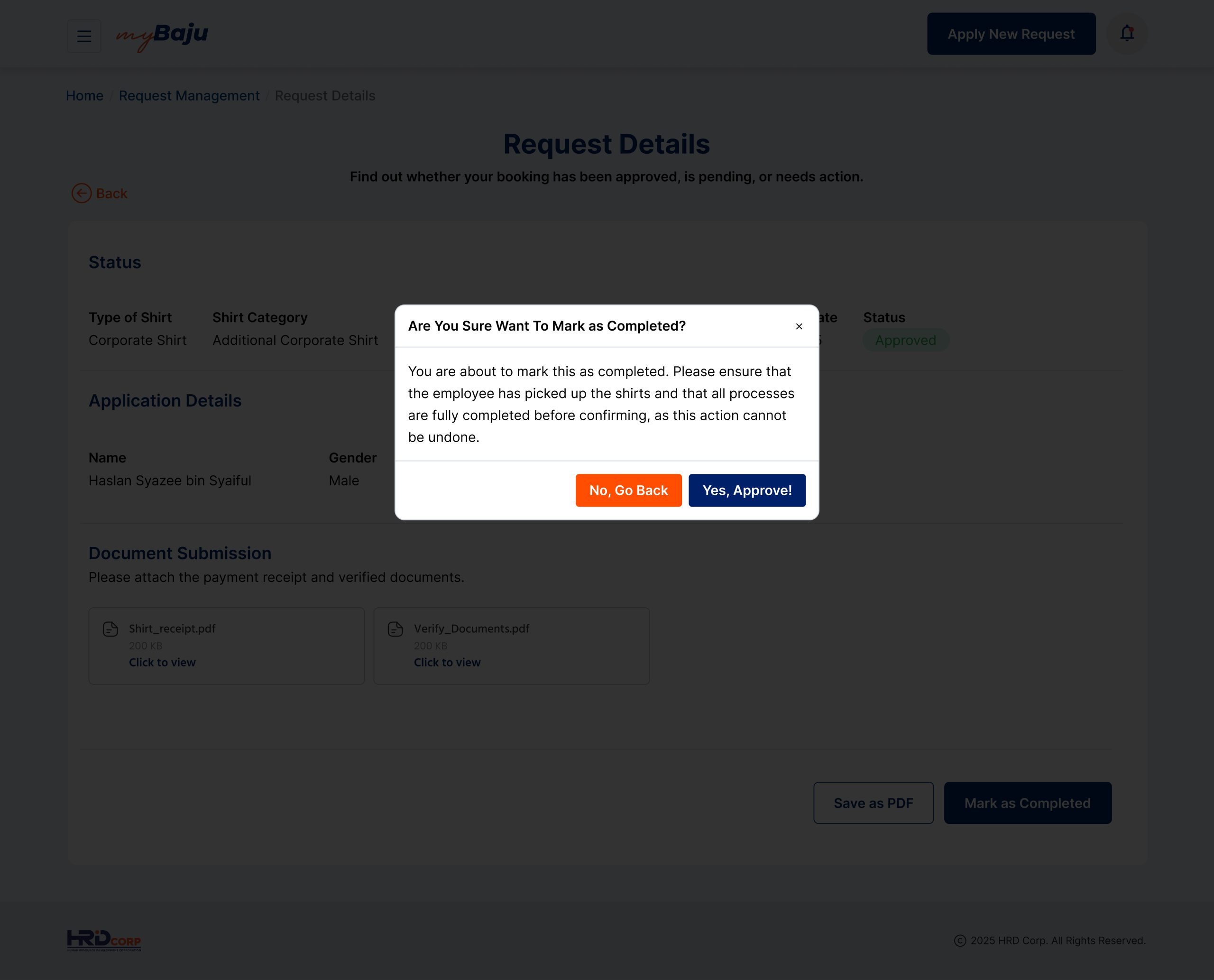
Double-Check Submit Prompts: Uses clear pop-up confirmation messages to stop accidental submissions and ensure data is accurate before locking the request.
Offline Payment Bridging: Automatically calculates exact costs in RM and generates printable PDF request forms so users can seamlessly handle cash/receipt handovers with the finance department.
3. Request Status & Lifecycle Ledger
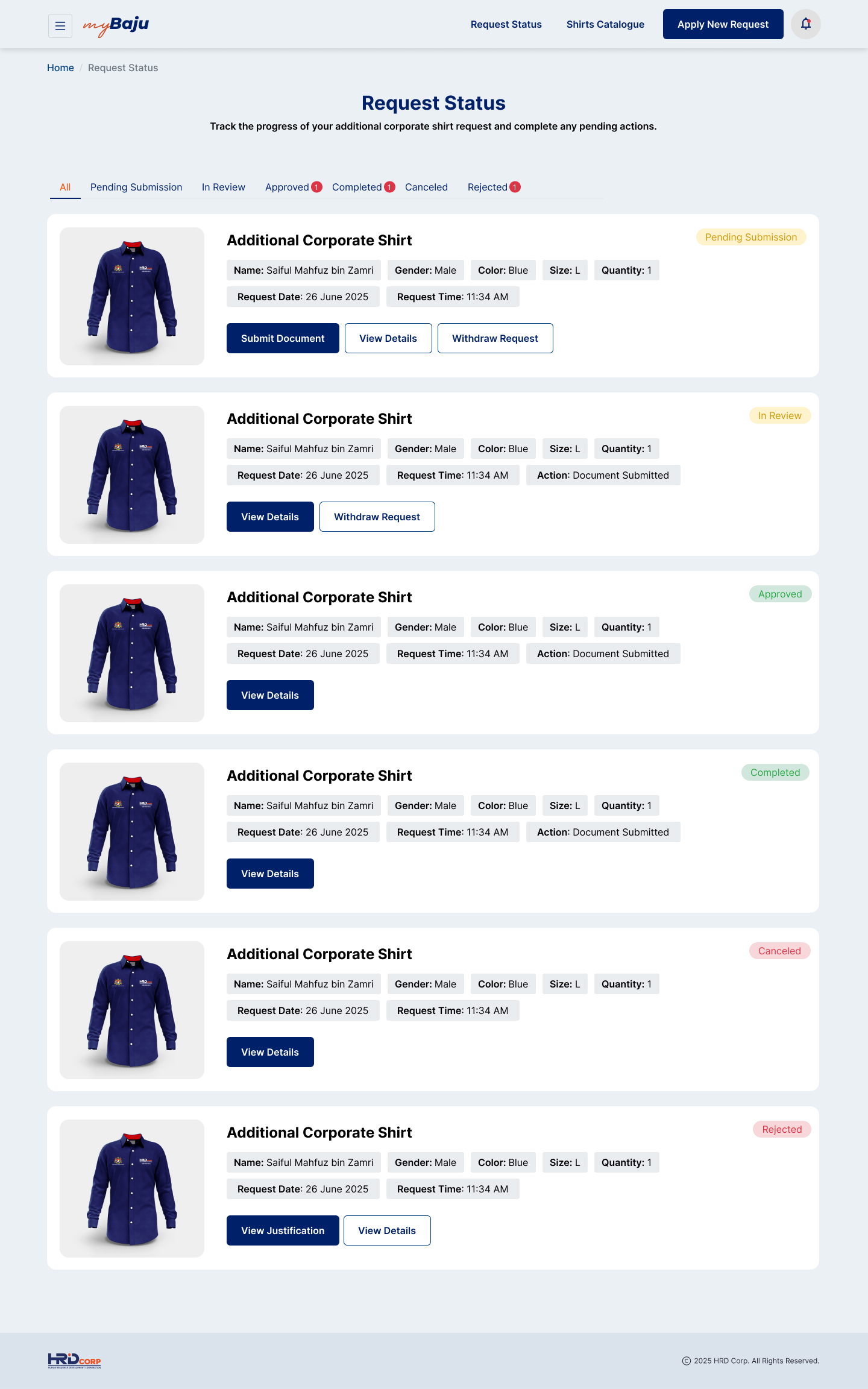
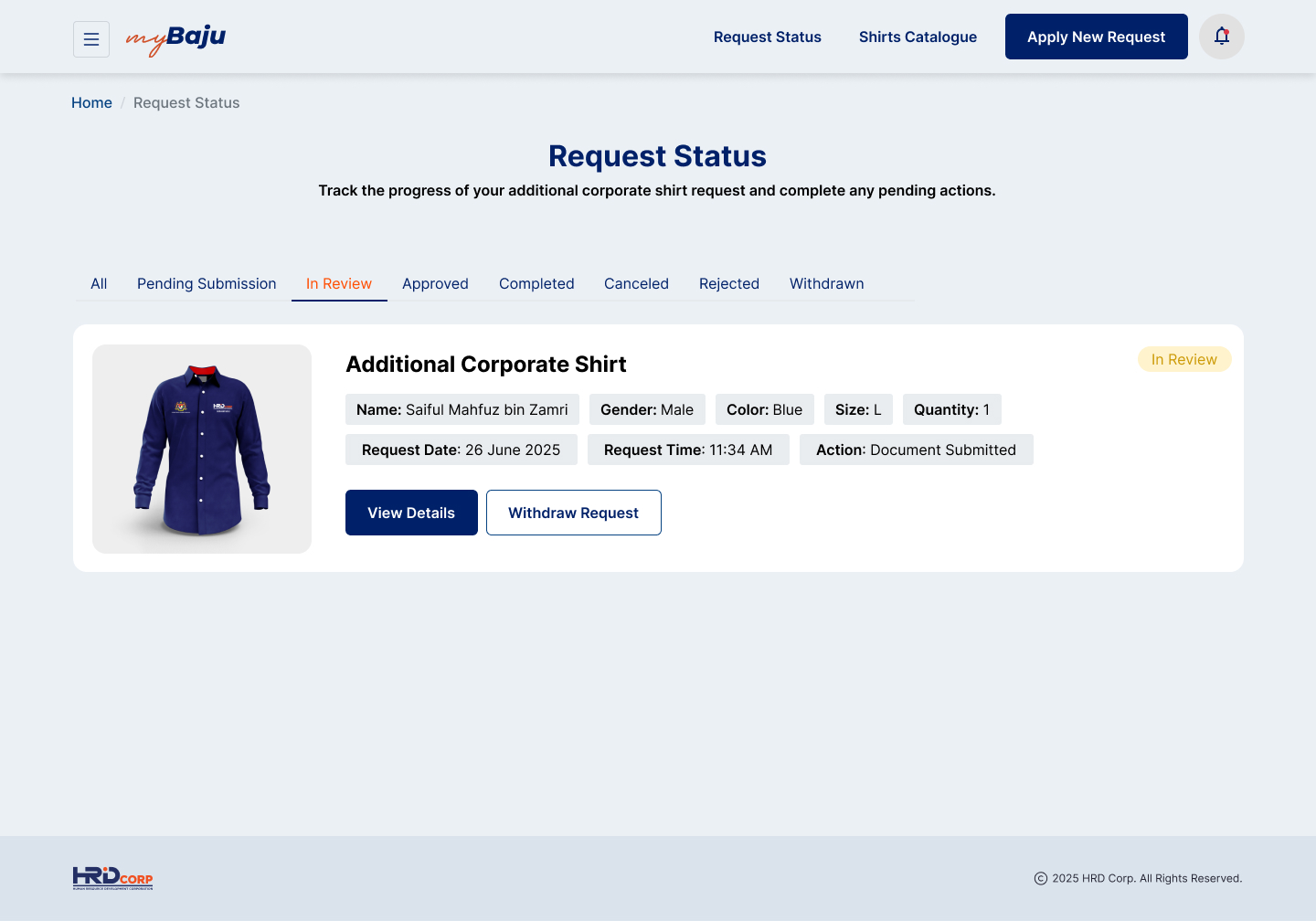
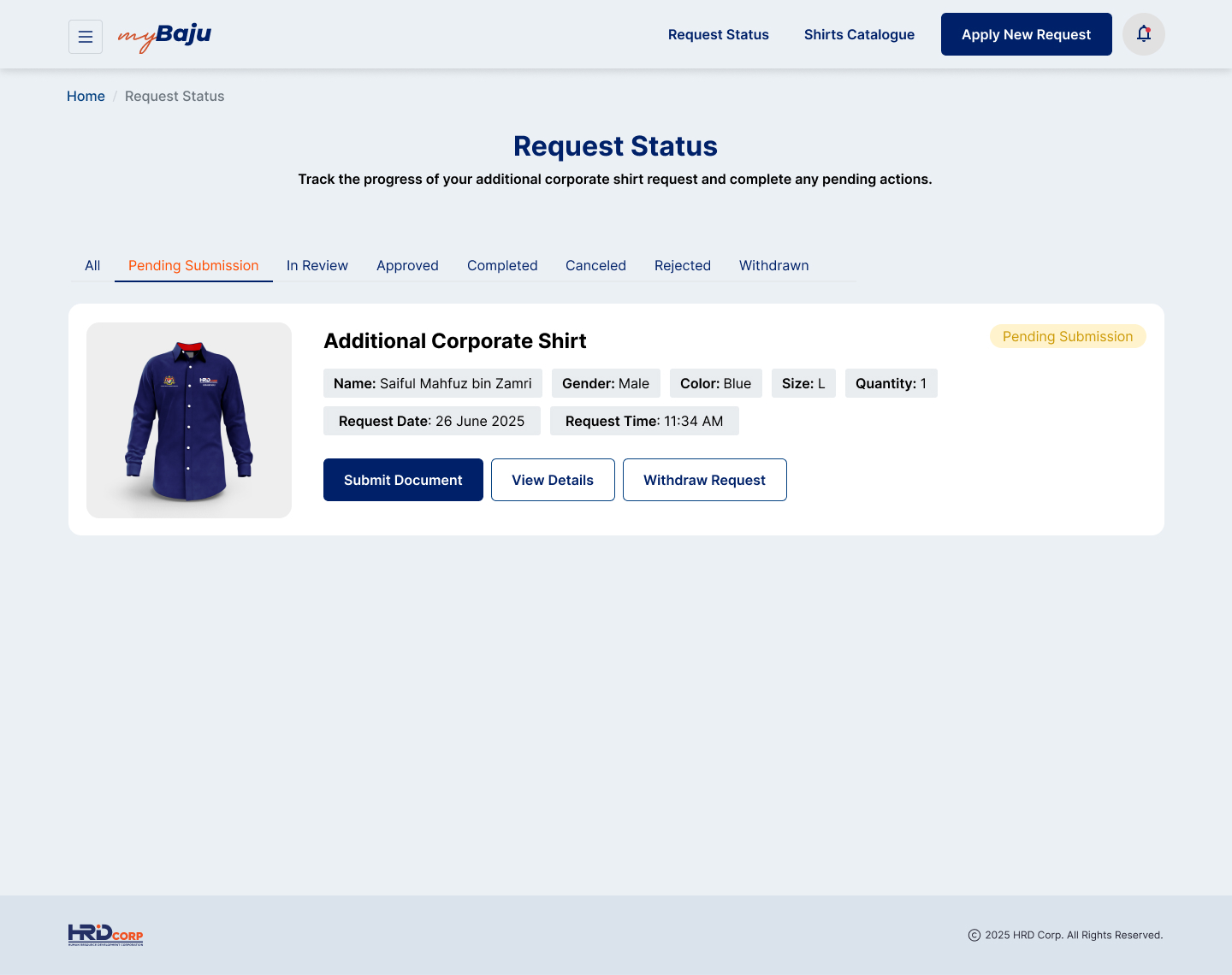
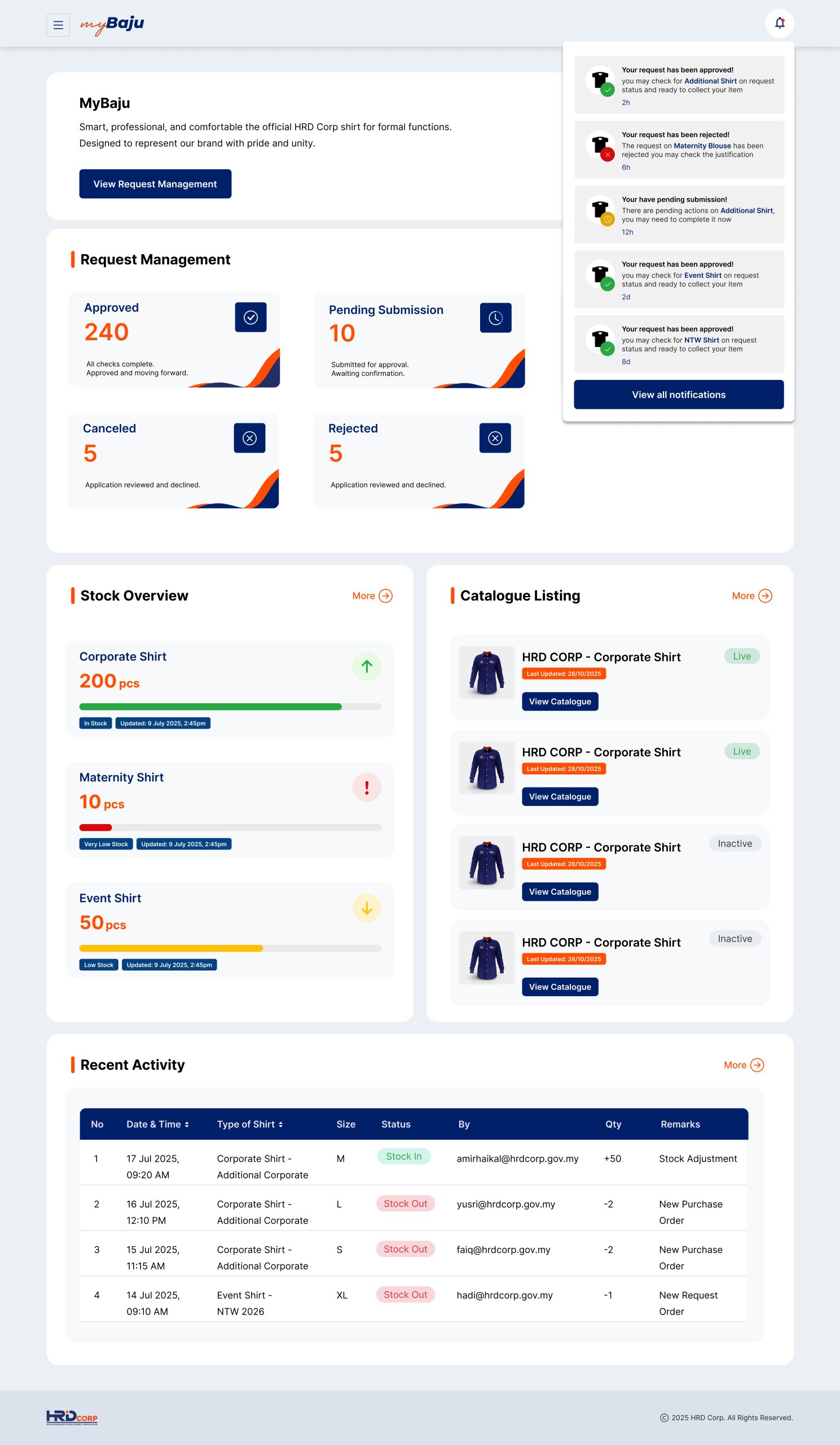
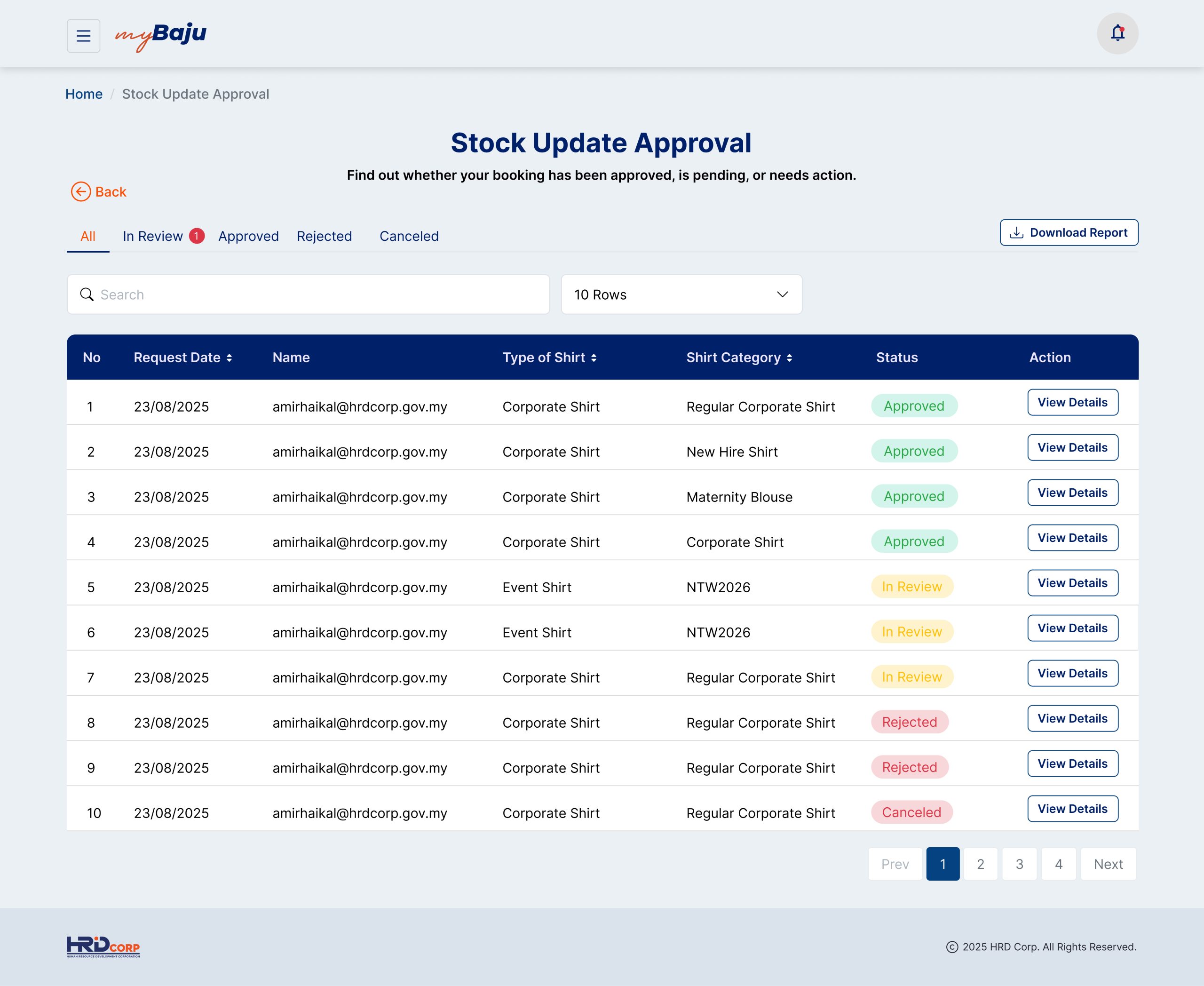
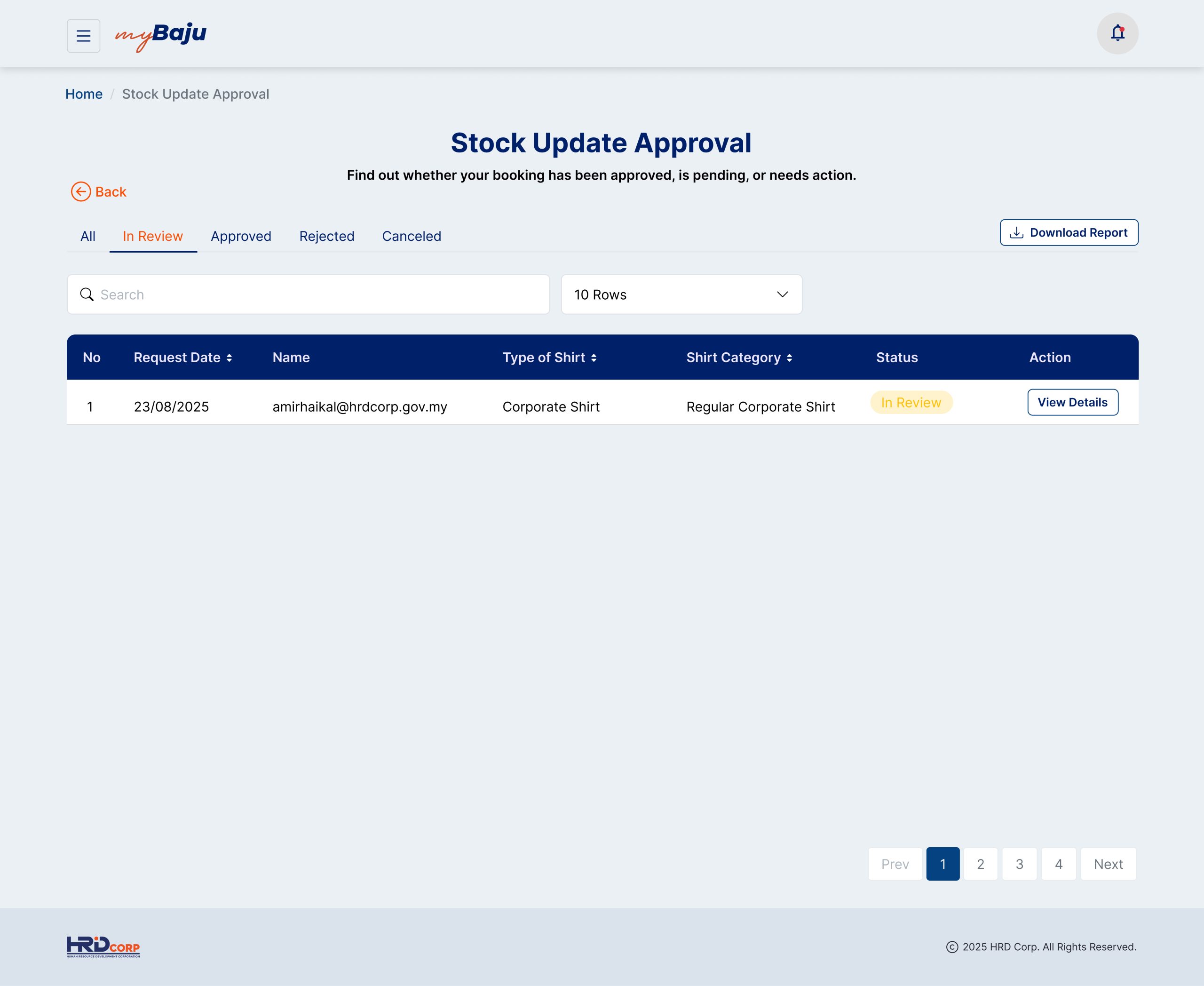
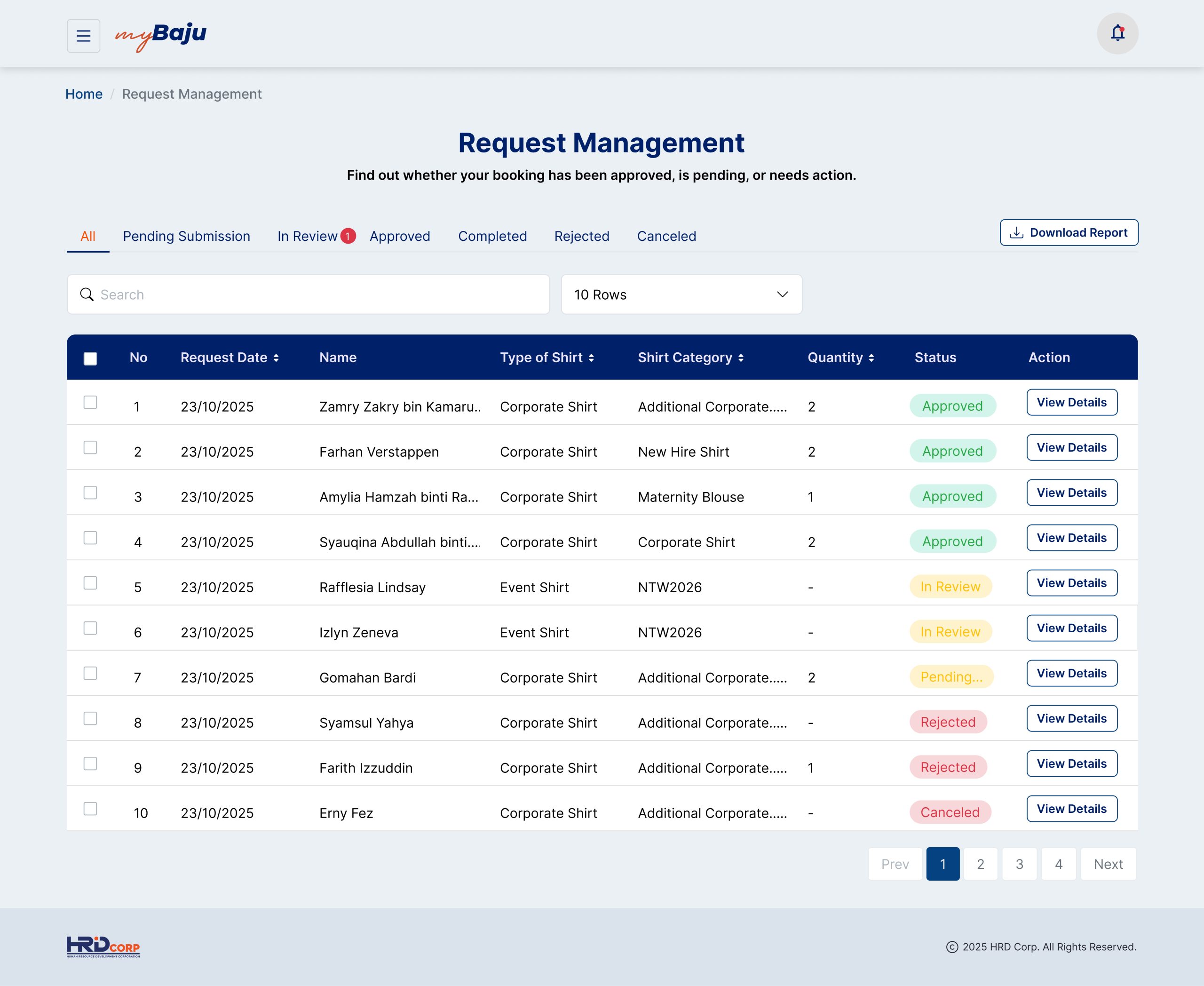
Unified Status Tabs: Organizes active and historical requests into clean, filterable tabs based on their current status (All, Pending Submission, In Review, Approved, Completed, Canceled, Rejected, Withdrawn).
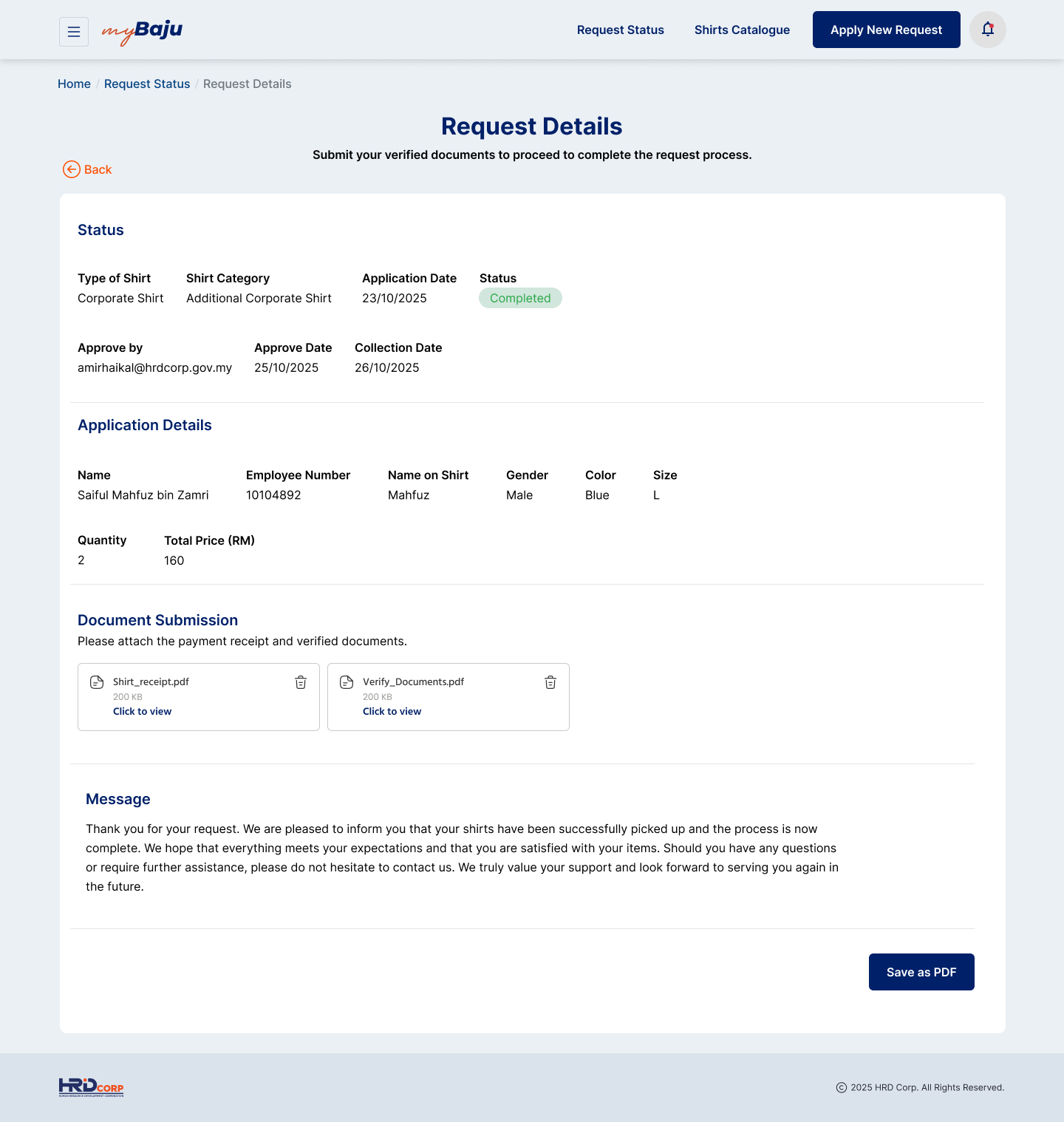
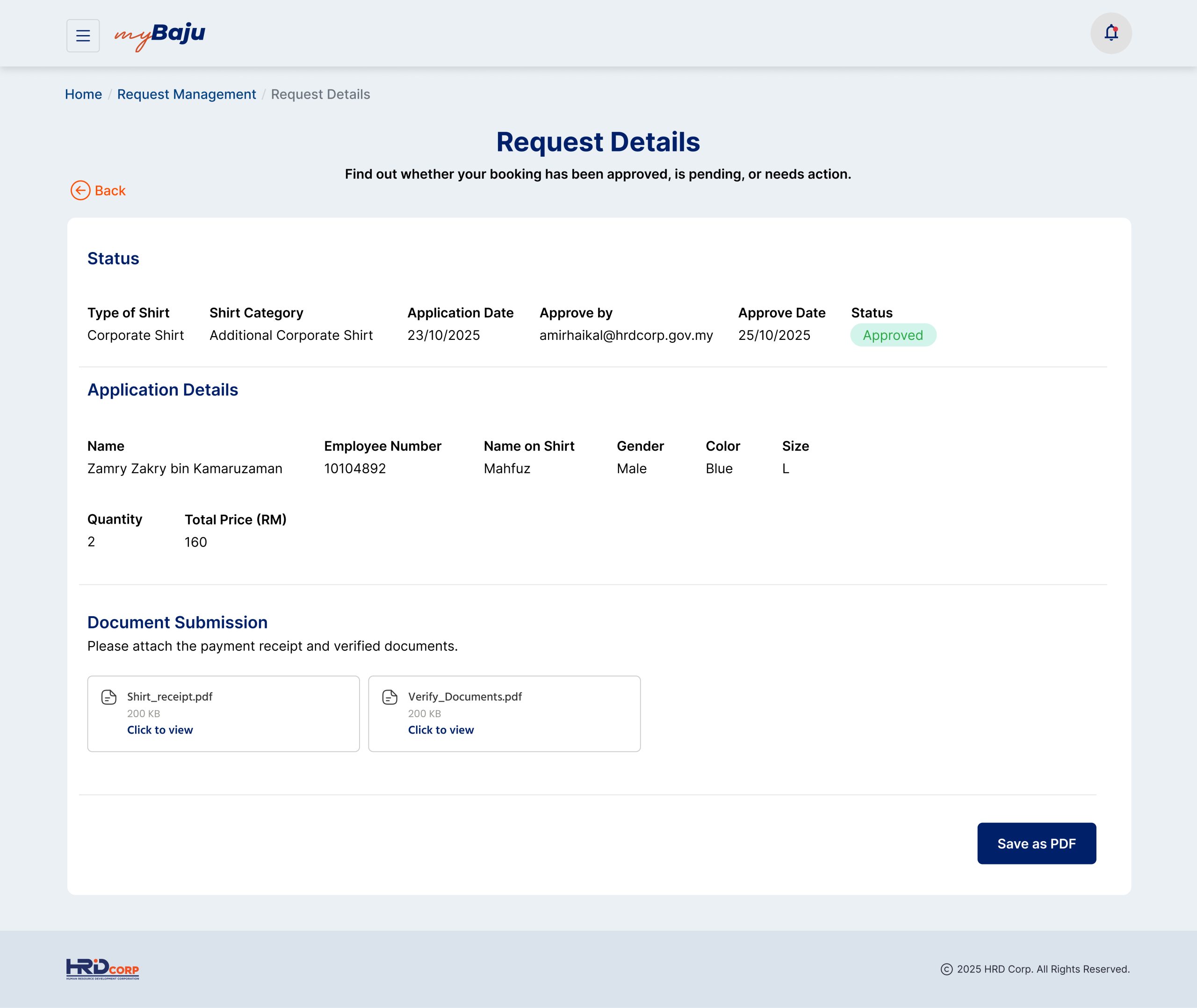
Granular Request Insights: Allows employees to click into any request to view exact timestamps, review item details (color, size, names), download their PDF documents, or quickly cancel/withdraw a request before it is processed.
Persona 1: The General Employee (Primary User)
“Noraini Ahmad” | Senior Associate
Age: 32
Industry: Public Sector / Human Resources
Location: Kuala Lumpur (HRD Corp HQ)
Request Type: Annual Shirt Allocation & Event Attire
“I want a quick and simple way to order my annual corporate shirts and event uniforms without dealing with endless paperwork or manual follow-ups just to check my order status.”
Pain Points:
Confusing Ordering Process: Had no single or clear place to choose shirt sizes, claim yearly free shirts, or order special items like event or maternity clothes.
No Way to Track Progress: Once a request was submitted, there was no update or visibility on where the order stood, forcing her to constantly ask HR for updates.
Slow Paperwork and Delays: Had to print, physically sign, and hand over paper documents to the finance department just to process or verify extra orders.
Goals & Objectives for myBaju:
Submit sizing, color choices, and custom name-embroidery details accurately in one go.
Track the exact progress of her shirt order from submission up until it is ready for collection.
Avoid manual order forms and print out necessary payment documents instantly if ordering extra items.
How They Use the Platform:
Smart Apparel Catalog: Filters through the catalog to select her size, pick fabric colors, and type her name for embroidery.
Linear Progress Tracker: Keeps an eye on the top-bar progress steps to see if her order is currently with HR or ready at the pickup counter.
Unified Status Tabs: Uses the “In Review” and “Approved” tabs on her dashboard to manage multiple orders (like her regular corporate uniform and her NTW event shirt) at the same time.
Persona 2: The New Joiner (Onboarding User)
“Muhammad Harith” | Executive (New Hire)
Age: 25
Industry: IT & Digital Transformation
Location: Cyberjaya, Selangor
Request Type: New Hiring Kit Allocation
“As a new joiner, I need to claim my corporate welcome kit and standard issue shirts easily so I can look the part and represent the company correctly from day one.”
Pain Points:
Confused Ordering Paths: Not knowing who to contact or which forms to fill out to get his mandatory corporate clothing.
Size Uncertainty: Wanting to make sure he picks a fit that matches his measurements perfectly without making mistakes.
Accidental Submissions: Fearing he might submit the wrong name spelling or size before checking his details with HR.
Goals & Objectives for myBaju:
Access a dedicated new-hire ordering path that clearly guides him through his first apparel allocation.
Review a clear summary of his chosen items before locking in his final submission.
Quickly withdraw or cancel a request if he notices a mistake in his profile or embroidery text.
How They Use the Platform:
Tailored Allocation Paths: Enters the specific “New Hiring Shirts” flow right from his dashboard to see his pre-allocated kits.
Double-Check Submit Prompts: Uses the pop-up confirmation modal to verify his size and spelling choice before clicking final submission.
Granular Request Insights: Clicks into his pending order details to double-check his timestamps or cancel the request if he needs to make a quick update.
Persona 3: The Admin / HR Procurement Officer (Backend User)
“Siti Aminah” | Human Resource & Procurement Specialist
Age: 39
Industry: Corporate Services / Inventory Management
Location: Kuala Lumpur (HRD Corp HQ)
Request Type: System Validation, Stock Controls, & Vendor Handoff
“Managing apparel orders on paper and messy spreadsheets takes up hours of my week. I need a clear backend dashboard to instantly review employee requests, verify physical documents, and manage stock sizes without mistakes.”
Pain Points:
Manual Verification Workload: Spending too much time cross-checking signed physical payment receipts from finance against spreadsheet line items.
Size Allocation Errors: Dealing with endless emails from staff wanting to change their sizes or names after a bulk order has already been sent to the vendor.
No Central Status Board: Having to manually notify employees one by one via chat or email when their uniforms are ready for pickup.
Goals & Objectives for myBaju:
Review, approve, or reject all internal employee clothing requests from a single, centralized admin dashboard.
Instantly verify uploaded payment slips or physical forms to speed up the procurement timeline.
Update request statuses in bulk so automated collection notifications are sent to employees right away.
How They Use the Platform:
Unified Status Tab Filtration: Uses the backend dashboard to sort incoming requests instantly by filtering through tabs like Pending Submission, In Review, and Approved.
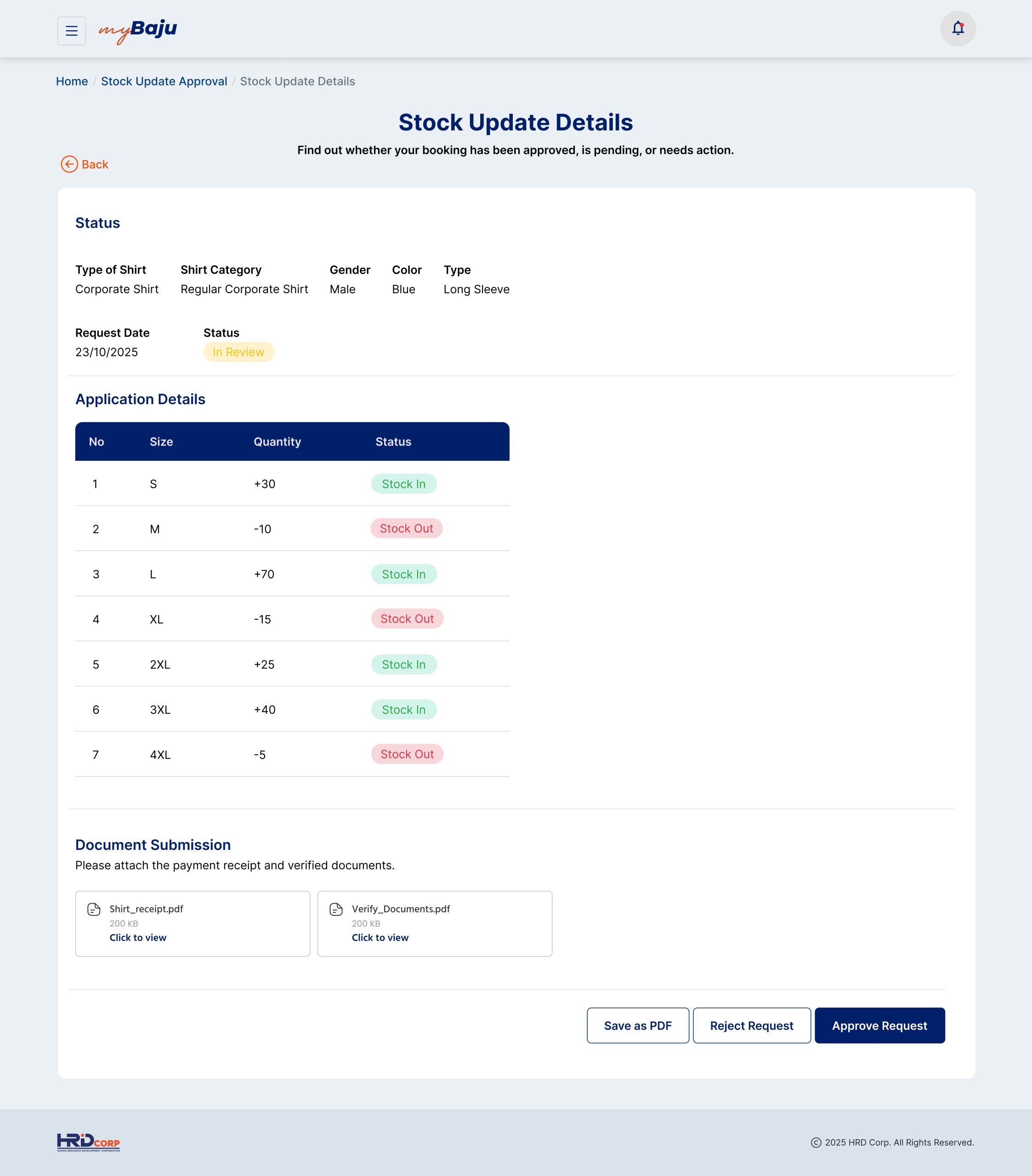
Granular Request Insights: Clicks into individual employee profiles to review detailed timestamps, fabric colors, and name-embroidery text choices before granting final approval.
Fulfillment Management: Changes an order status to “Ready to Collect” or “Completed” with a single click once the physical garments arrive at the HR desk.
User Journey & Workflow - Employee, Admin & Super Admin
1. Employee User Journey Overview
A simple, self-service path that guides employees smoothly from browsing the apparel catalog to picking up their physical items. By replacing manual paperwork with digital forms, automated total cost calculators, and a live progress tracker, it gives staff total visibility over their shirt requests without any messy email chains.
Employee User Journey
The employee user journey focuses on a simple, self-service path that removes messy email chains and guides the user smoothly from shirt selection to physical collection.
Step 1: Explore & Select: The employee logs into the portal, browses the digital apparel catalog, and selects their category (e.g., Annual Allocation, Event Shirt). They input their accurate size, fabric color, and custom name-embroidery details.
Step 2: Generate & Review: The system automatically calculates any pricing balances (if ordering extra shirts) and generates a clear request summary. A pop-up confirmation forces the user to double-check their details before submitting.
Step 3: Document & Payment Bridging: For paid orders, the employee downloads a generated PDF receipt to complete an offline cash or document handover with the finance department, then uploads the verified slip back into the portal.
Step 4: Real-Time Tracking: The user tracks their request across active lifecycle stages via a progress bar on their dashboard, completely eliminating the need to message HR for manual updates.
Step 5: Secure Collection: Once HR approves and processes the stock, the employee receives a notification shifting their status to “Ready to Collect” for smooth physical handoff at the office counter.
Loading Viewer…
2. Admin User Journey Overview
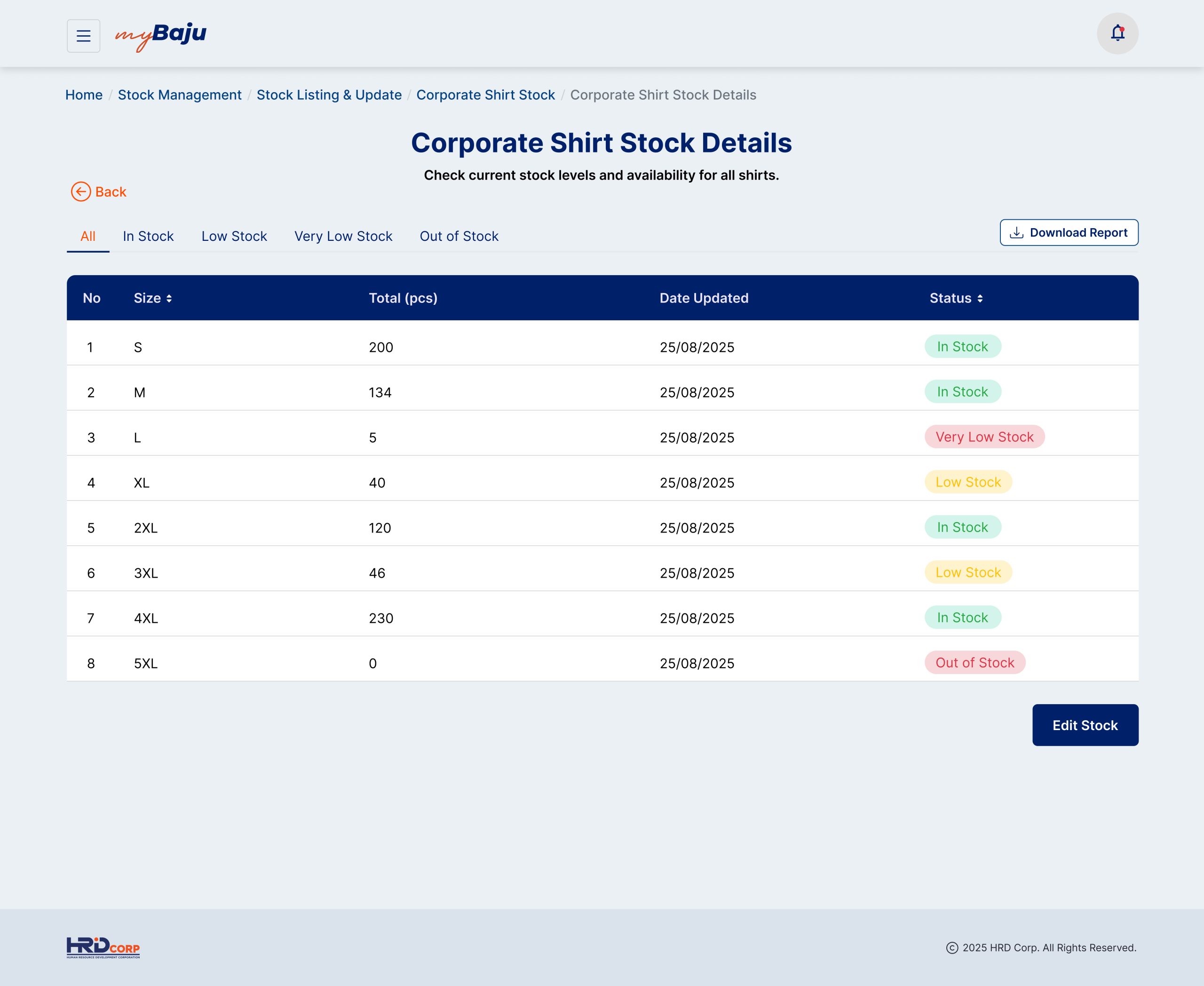
A powerful backend dashboard that removes manual spreadsheets and streamlines order management for HR teams. It centralizes all incoming employee requests into clear, filterable tabs, allowing admins to quickly verify documents, process approvals in bulk, and instantly update stock availability from a single source of truth.
Admin & Super Admin User Journey Overview
The admin user journey focuses on backend control, automated data tracking, and eliminating manual spreadsheet entry for HR managers and procurement supervisors.
Step 1: Centralized Incoming Queue: The Admin accesses a single dashboard where all employee apparel requests are automatically captured and sorted into clean, filterable status tabs.
Step 2: Verification & Review: The Admin clicks into individual request profiles to inspect granular details, cross-referencing uploaded payment slips or finance documents without digging through physical paperwork.
Step 3: Access Control & Governance (Super Admin): Super Admins manage systemic rules—such as updating stock availability, modifying available size charts, editing user roles, or configuring regional view parameters for specific office branches.
Step 4: Status Workflow Management: With a single click, the Admin moves verified requests from In Review to Approved, which automatically generates systemic logs and sets procurement tasks in motion.
Step 5: Bulk Fulfillment Update: When the physical garments arrive from the vendor, the Admin updates order statuses to Ready to Collect or Completed in bulk, sending instant automated alerts to employees.
Loading Viewer…
Web Demo
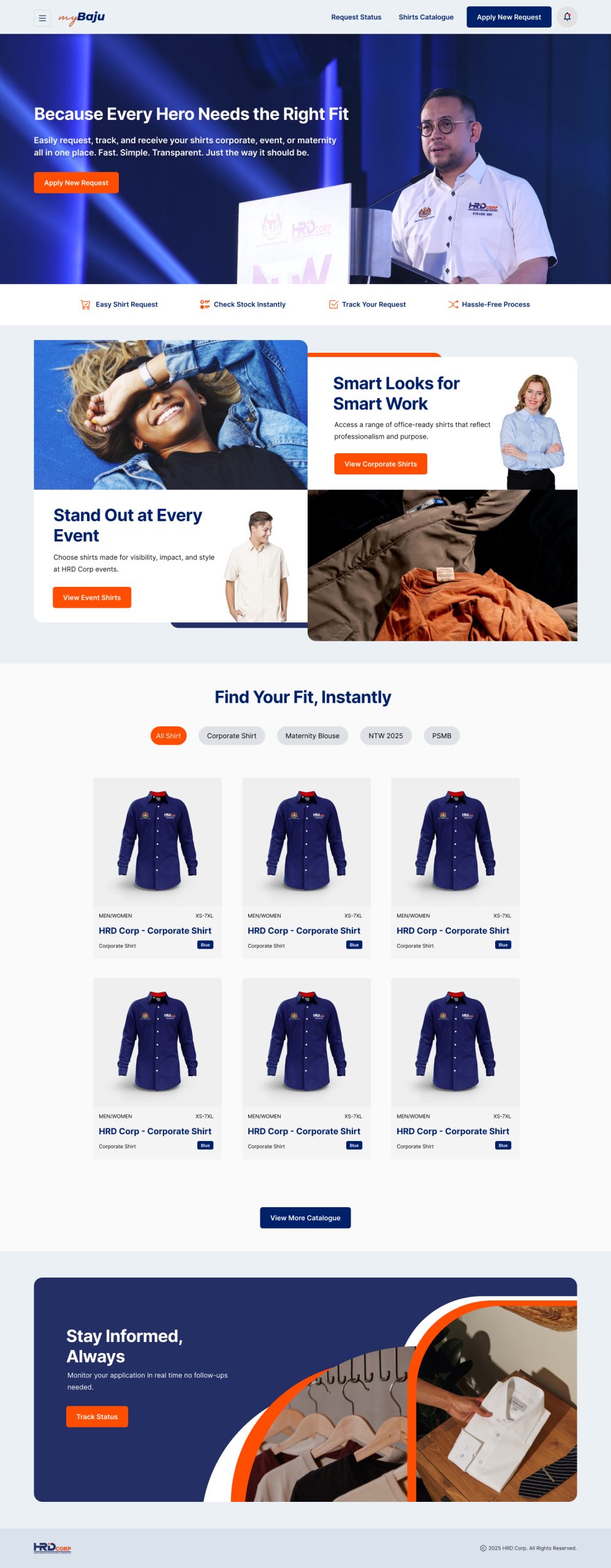
The Web UI design provides an intuitive, self-service storefront for HRD Corp employees to manage their corporate attire. The clean layout enables users to effortlessly browse categorized clothing lines—including formal office wear and casual event shirts—while utilizing instant tab filters to find their perfect fit without friction.
HRD Corp Futurescape Experiences
Project Overview
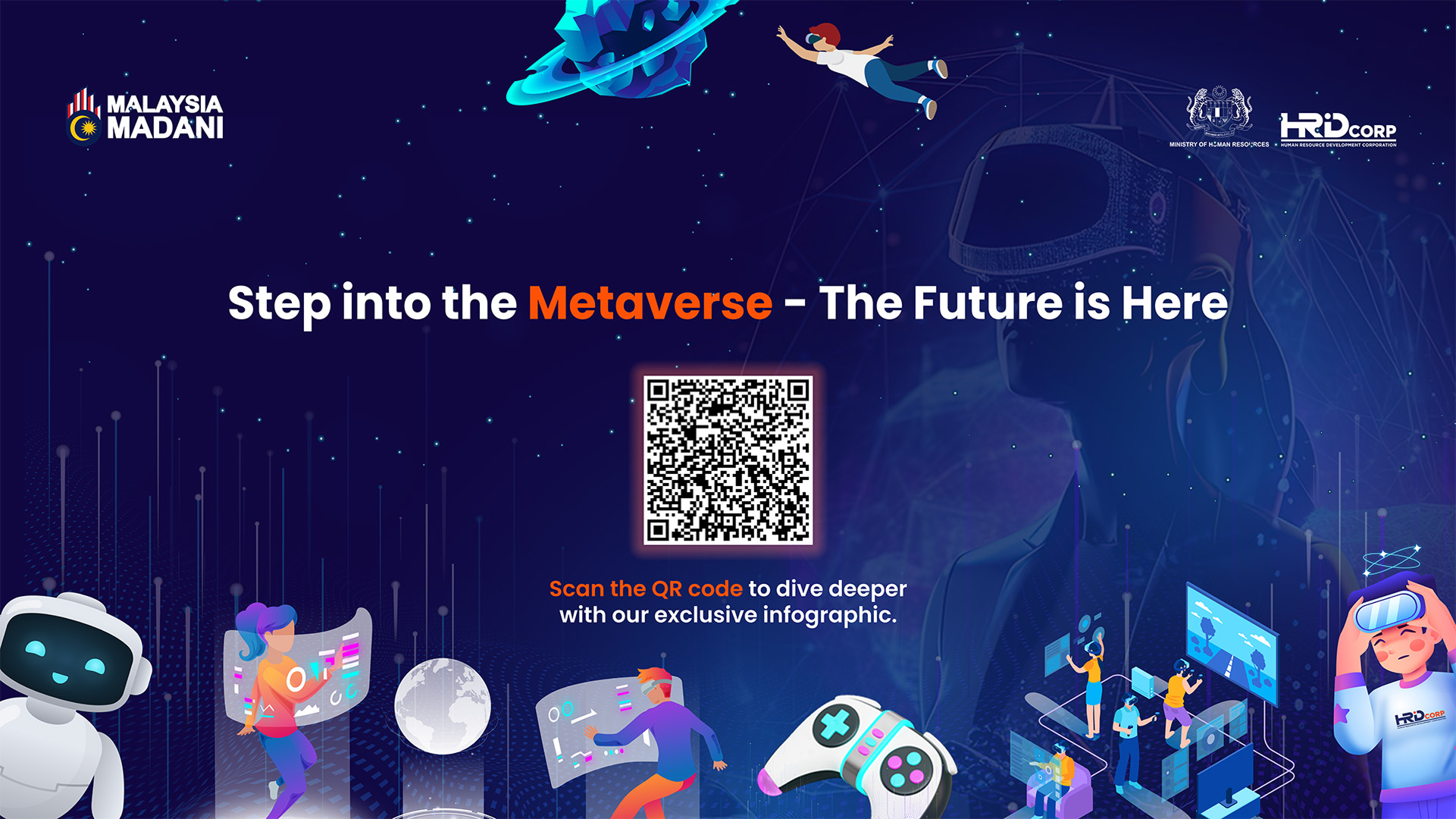
The HRD Corp Metaverse World is an immersive, 3D digital universe developed for the Human Resource Development Corporation (HRD Corp). It expands HRD Corp’s digital presence from standard web platforms into a centralized virtual environment connecting its Main Headquarters and Regional Offices across Malaysia (including Central, Northern, Perak, Southern, East Coast, Sabah, and Sarawak regions). The platform leverages a combination of Virtual Reality (VR), Augmented Reality (AR), and Artificial Intelligence (AI) to replicate and elevate HRD Corp’s physical workspace, training ecosystem, and event standards into a continuous digital ecosystem.
Problem Statement
Prior to the implementation of the Metaverse World, HRD Corp faced several digital engagement constraints:
Static and Traditional Interfaces: The legacy web platforms and portal login experiences were traditional, flat, and corporate-looking, lacking a modern digital/metaverse visual identity to engage contemporary workforces.
Fragmented Communication & Location Gaps: Disconnection or lack of centralized, localized engagement boundaries between the physical HQ and various regional offices.
Limitation of Physical Event Spaces: Physical exhibitions and corporate events face capacity limits, whereas digital alternatives lacked an immersive, structured real-world “exhibition floor” atmosphere to keep users fully interactive.
Goal / Objective
Create a Fully Immersive Corporate Ecosystem: To transition HRD Corp into a forward-thinking virtual world (“HRDC FutureScape”) that drives digital-age upskilling and interactive collaboration.
Bridge Regional Boundaries: Connect the HQ and all regional offices into a singular, easily navigable virtual map to ensure uniform localized engagement.
Enhance Engagement & Learning: Integrate gamification, real-time feedback, and interactive elements to create a corporate environment that sparks curiosity, continuous exploration, and seamless learning.
Expand Large-Scale Event Hosting: Provide a continuous digital platform capable of hosting highly organized, large-scale virtual events with up to 1,000 participants simultaneously.
Key Features & Solutions
The platform addresses the stated problems through specialized infrastructure distributed across development sprints:
Immersive Gateway (SSO Login): Rather than entering a basic text-portal, users log into an immersive 3D background matching the “Gateway of Growth” art direction, custom-tailored for distinct user profiles (Employers, Training Providers, Trainers, HRD Corp Employees, and the General Workforce).
Centralised & Regional Communication UI: Implements real-time, color-authentic boards for Centralised Announcements and Calendar of Events, paired with regional-specific variants to ensure users stay informed at both national and localized levels.
3D Virtual HQ & Regional Map: A gamified, interactive angled “floor” layout where users use avatars to teleport and explore localized environments representing different Malaysian branches.
Virtual Resource Centre & Briefing Rooms: Spaces dedicated to continuous on-demand training, live briefings, presentation viewings, and real-time knowledge sharing.
AI-Powered Virtual Assistants (“Ask Bella”): Integrated interactive 24/7 helpdesks and chatbot counters positioned at key virtual touchpoints to assist visitors fluidly.
1,000-Participant Event Hall: A massive virtual exhibition layout featuring a Main Screen, Supplementary Screens, information counters, overhead signages, and branded digital exhibition booths to mimic a corporate real-world floor.
Gamification Zone & Leaderboards: Features unique structural environments like the 3D Holographic Game Booth alongside journey leaderboards to track and reward interactive engagement.
Secure Web Admin Dashboard: A standalone, real-time web-view dashboard featuring Role-Based Access Control (RBAC) and Single Sign-On (SSO) to let administrators safely review platform metrics and update information displays instantly.
Persona 1: The Training Provider
“Amanda Hew” | Head of Business Development
Age: 36
Industry: Corporate Training & Upskilling
Location: Petaling Jaya, Selangor
Request Type: Virtual Exhibition Setup & Course Promotion
“I want an immersive, borderless venue to showcase our high-impact training programs to employers nationwide without the massive overhead costs and physical space limitations of traditional roadshows.”
-
Pain Points:
-
Confusing Directory Listings: Static web directories and standard flat text forms make it difficult to showcase interactive components or the true value of their training courses.
-
No Way to Scale Reach: Physical roadshows and exhibitions to promote courses are expensive, time-consuming, and geographically restricted to single states or regions.
-
Low Engagement and Drop-offs: Traditional digital text links or flat PDF brochures fail to hold the attention of busy HR managers looking for contemporary learning tracks.
-
-
Goals & Objectives for Metaverse World:
-
Configure a highly visible, custom-branded virtual booth with modern digital displays and signage to attract corporate attendees.
-
Access localized regional employer clusters efficiently across Malaysia without the logistical friction of physical travel.
-
Deliver live, short teaser previews or Q&A sessions to multiple prospective clients in a dynamic environment.
-
-
How They Use the Platform:
-
Smart Apparel Catalog ➔ 1,000-Participant Event Hall: Filters through the virtual exhibition layout to select her booth space, customize her overhead branded signage, and upload digital brochures to the display panels.
-
Linear Progress Tracker ➔ Interactive Briefing Rooms: Books an active virtual presentation space to host live, interactive course previews and tracks attendee engagement metrics in real-time.
-
Unified Status Tabs ➔ Regional Teleportation Hub: Uses the map navigation to fluidly shift between regional environments (like Sabah, Sarawak, or Perak) to manage hyper-localized marketing initiatives at the same time.
-
Persona 2: The Employer
“Muhammad Aris” | Senior HR & Talent Development Manager
Age: 42
Industry: Technology & Manufacturing
Location: Bayan Lepas, Penang (Northern Region)
Request Type: Grant Eligibility Inquiry & Training Discovery
“I need an engaging, modern way to discover certified training programs and track national upskilling trends for my distributed workforce without getting bogged down in traditional web text portals.”
Pain Points:
Confusing Discovery Process: Employees find traditional corporate portal interfaces uninspiring, leading to lower enthusiasm around exploring mandatory corporate upskilling programs.
No Way to Track Regional Activities: Finding localized events or tracking regional-specific HRD Corp announcements across separate web pages feels disjointed and inefficient.
Slow Support and Bottlenecks: Waiting on hold over the phone or waiting for email replies to clarify levy utilization rules creates significant operational delays in training approvals.
Goals & Objectives for Metaverse World:
Explore nationwide and regional-specific approved courses through an intuitive, interactive environment.
Access instant, round-the-clock answers to complex grant or levy policies to speed up internal workforce planning.
Experience a visually engaging corporate platform that aligns with modern digital ecosystem standards.
How They Use the Platform:
Smart Apparel Catalog ➔ Immersive SSO Gateway: Enters the platform via the dedicated “Employer Profile” login configuration, which custom-tailors the interactive 3D background to match his corporate access rights.
Linear Progress Tracker ➔ Centralised & Regional Boards: Keeps an eye on the Centralised Announcement UI and Calendar of Events UI to check upcoming national upskilling deadlines or regional physical workshops.
Unified Status Tabs ➔ Ask Bella UI (24/7 Virtual Assistant): Approaches the interactive AI-powered assistant desk in the main lobby to ask complex policy questions regarding levy eligibility and receives immediate step-by-step guidance.
Persona 3: The Gamified Learner
“Divya Nair” | Operations Executive
Age: 25
Industry: Logistics & Supply Chain (General Workforce)
Location: Cyberjaya, Selangor
Request Type: Professional Upskilling & Career Development Track
“I want corporate continuous learning and career discovery to feel interactive, visually rewarding, and worth exploring, rather than a boring corporate checklist.”
Pain Points:
Confusing Interface Style: Old-fashioned, static corporate training interfaces feel like a chore, completely failing to spark curiosity or a genuine desire to explore career-building content.
No Way to Track Progress Visually: Scrolling through endlessly flat lists of online links feels passive and lonely, lacking any instant visual feedback or sense of milestone progression.
Slow Information Delivery: Missing out on physical corporate exhibitions or national summits because of distance or rigid daytime work schedules.
Goals & Objectives for Metaverse World:
Discover new operational and digital skill tracks through a highly interactive, self-paced virtual environment.
Track personal exploration milestones visually to stay motivated throughout the upskilling journey.
Tailor her virtual presence to interact with peers and digital showcases in a modern, professional manner.
How They Use the Platform:
Smart Apparel Catalog ➔ Avatar Customization UI: Filters through clothing styles, hairstyles, and aesthetics to tailor her virtual presence, balancing professionalism with a unique digital look.
Linear Progress Tracker ➔ Games & Journey Leaderboard UI: Keeps an eye on her interactive tasks at the 3D Holographic Game Booth to instantly see her rank and progress update on the leaderboard steps.
Unified Status Tabs ➔ 3D Virtual HQ Exploration: Uses interactive touchpoints across the angled floor platform to view real-time Showcase Walls, live media feeds, and informational counters simultaneously.
Art Direction
A visionary design framework built to represent continuous growth, innovation, and digital transformation. By utilizing a cutting-edge horizon backdrop and elevated platforms, this concept visually establishes a forward-thinking ecosystem built for advanced virtual interaction.
Loading Viewer…
Loading Viewer…
Metaverse Worskhop Planning
I led the creation of HRD Corp DLS, establishing a structured and scalable foundation for product design across the platform. This includes defining reusable UI components, interaction patterns, typography, color systems, and design guidelines to ensure consistency, efficiency, and a unified user experience across all modules.
Sprint Review & Feedback
I led the creation of HRD Corp DLS, establishing a structured and scalable foundation for product design across the platform. This includes defining reusable UI components, interaction patterns, typography, color systems, and design guidelines to ensure consistency, efficiency, and a unified user experience across all modules.
Avatar Customisation
Descriptions: Users can customise their avatar to represent their virtual identity. HRD Corp Employees have access to exclusive HRD Corp-branded outfits, while external users have standard avatar options.
User Flow: Gender Selection (Male/Female) → Start Customisation → Avatar Customisation → Confirm
Virtual Lobby
Descriptions: Acts as the main navigation hub of the metaverse. Users can explore freely, access support touchpoints, view announcements, and teleport to other areas.
User Flow: Enter Lobby → Menu Panel Guide → Exploration Starts
Meeting Room
Descriptions: Acts as the main navigation hub of the metaverse. Users can explore freely, access support touchpoints, view announcements, and teleport to other areas.
User Flow: Enter Lobby → Menu Panel Guide → Exploration Starts
Virtual Exhibition Hall
Descriptions: A large-scale virtual venue for exhibitions, showcases, launches, and events. Users can explore booths and attend presentations.
User Flow: Enter Lobby → Teleport to Exhibition Hall → Enter Virtual Exhibition Hall
Regional Virtual Offices
Descriptions: Replicates physical HRD Corp branches in a virtual environment, providing a localised experience.
User Flow: Enter Lobby → Go to Teleport → Select Branch Directory → Choose Branch → Enter Selected Regional Branch
Games Hub
Descriptions: A virtual meeting space designed for internal discussions, briefings, and presentations. Supports collaboration without physical presence.
User Flow: Enter Lobby → Teleport to Meeting Room → Enter Meeting Room
Akademi KESUMA by Ministry of Human Resources (MOHR)
Project Overview
Akademi KESUMA is an all-in-one website built for the Ministry of Human Resources (KESUMA). It acts as a single, central platform that brings together different government human resource agencies. The goal is to help Malaysian workers easily find, sign up for, and pay for high-quality training courses to upgrade their skills and boost their careers.
Loading Viewer…
Problem Statement
The current national training ecosystem is fractured and inefficient, causing critical delays in workforce development:
Fragmented Public Systems: Training programs are scattered across separate, disconnected government agency websites, making it confusing and frustrating for users to find trusted courses.
The Future-Skills Gap: Workers cannot adapt fast enough to the rapid rise of Artificial Intelligence (AI) and the Green Economy because there is no single, fast-tracked platform for modern certifications.
Friction-Heavy Registration: Outdated manual workflows and detached payment systems create a slow, painful signup process that discourages users and delays training providers.
Goal / Objective
Put Everything in One Place: Combine all government-backed training programs into a single, easy-to-use portal.
Teach Modern Skills: Focus on offering courses that prepare workers for tomorrow’s jobs (like advanced technology).
Make it Official: Ensure that every course gives users a recognized certificate to help them get hired or promoted.
Make it Smooth: Build a simple, quick way for users to browse, sign up, and pay for courses online.
Challenges
Combining Different Systems: Designing a clean user interface that connects multiple government agencies behind the scenes without looking messy.
Designing for Everyone: Making sure the website is simple enough for everyone to use, from tech-savvy young adults to older workers.
Handling Payments Safely: Making the online checkout process secure, simple, and reliable when thousands of users are signing up at once.
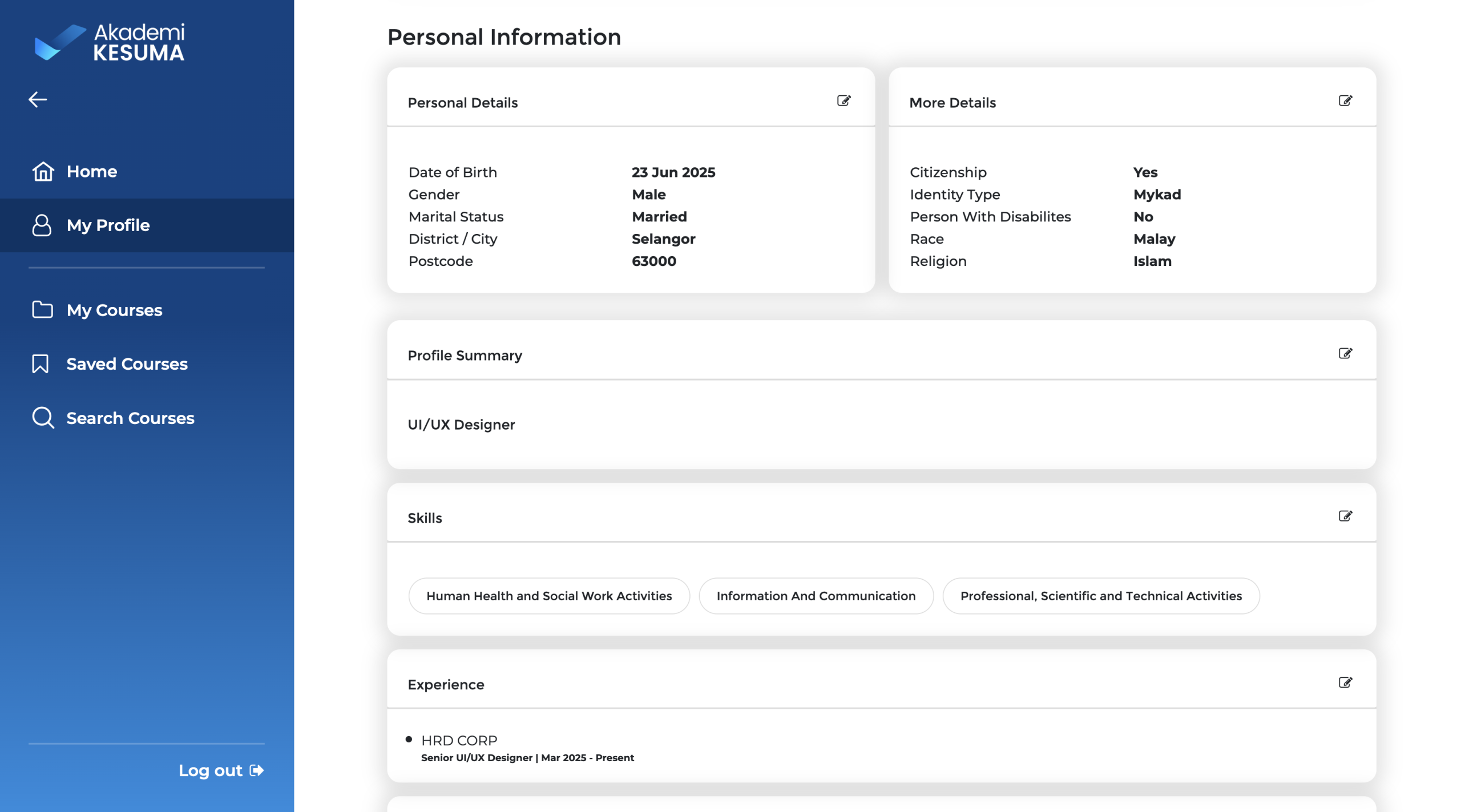
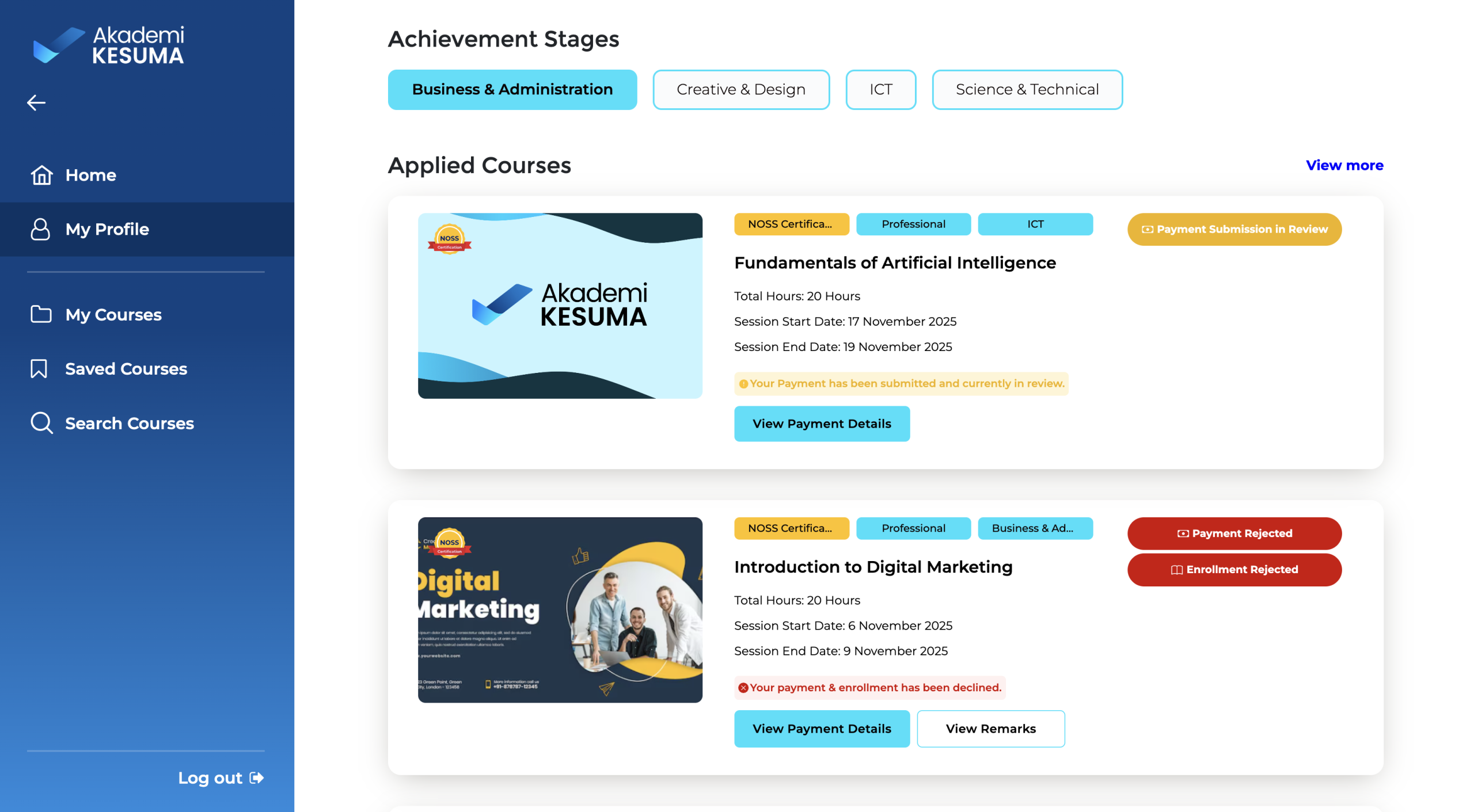
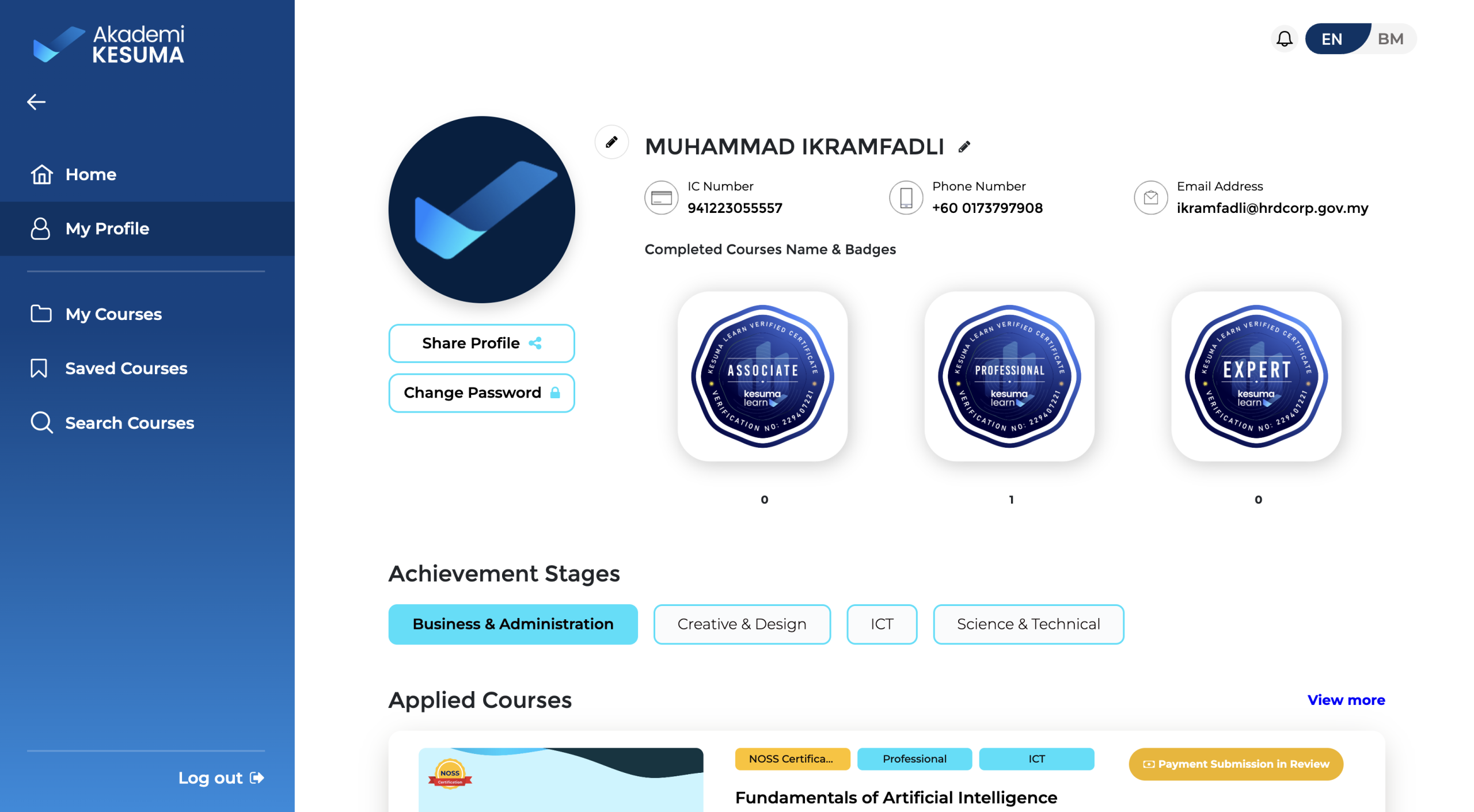
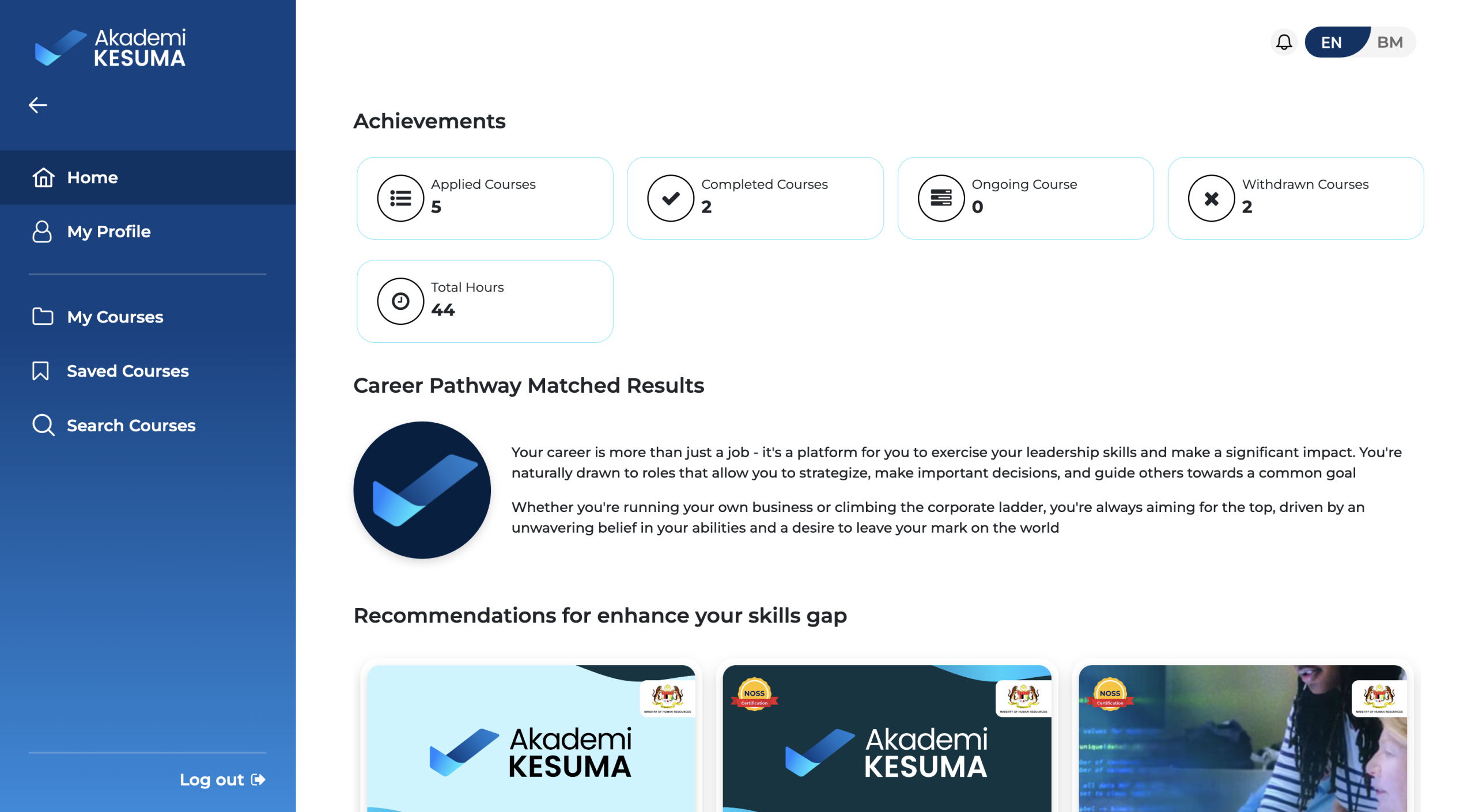
Web UI
An overview of the UI design for our on-demand web system, focusing on the three main structural pillars: Demand, Optimise, and Execute. Designed for clarity and deep data validation, the interface includes side-by-side fuel consumption bar charts, automated activity-to-log audit ledgers, and cyclical mass balance tracking to enforce strict operational compliance.
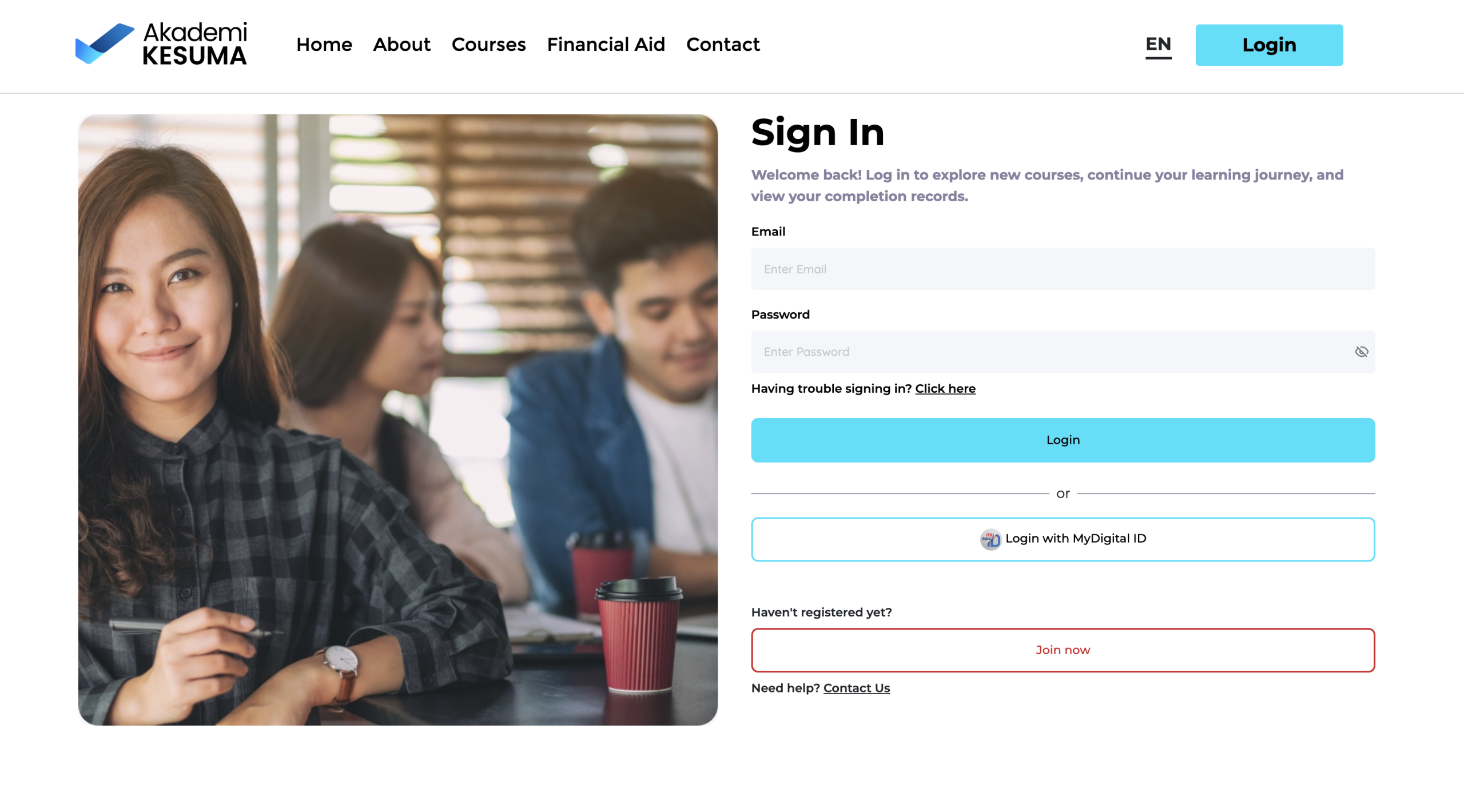
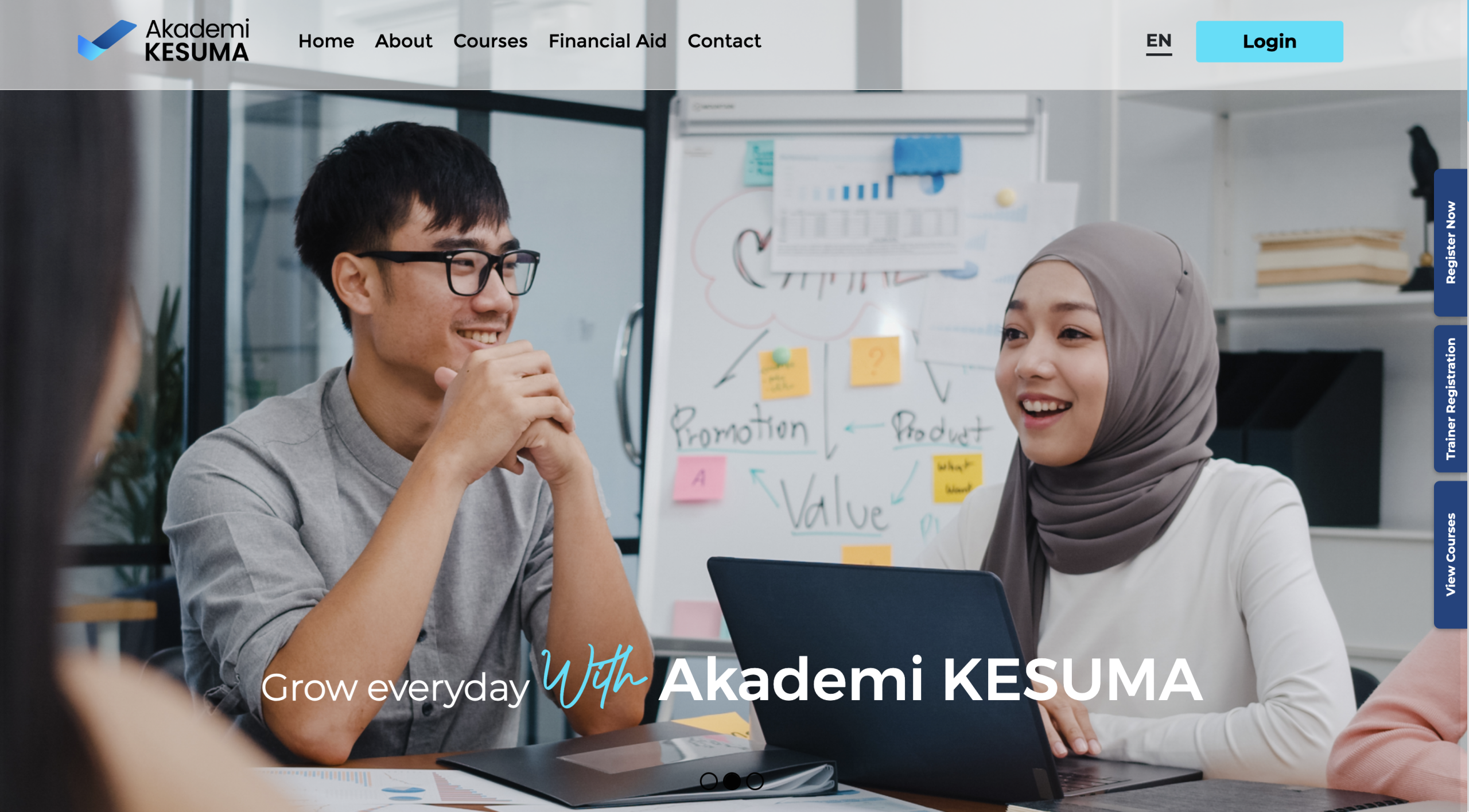
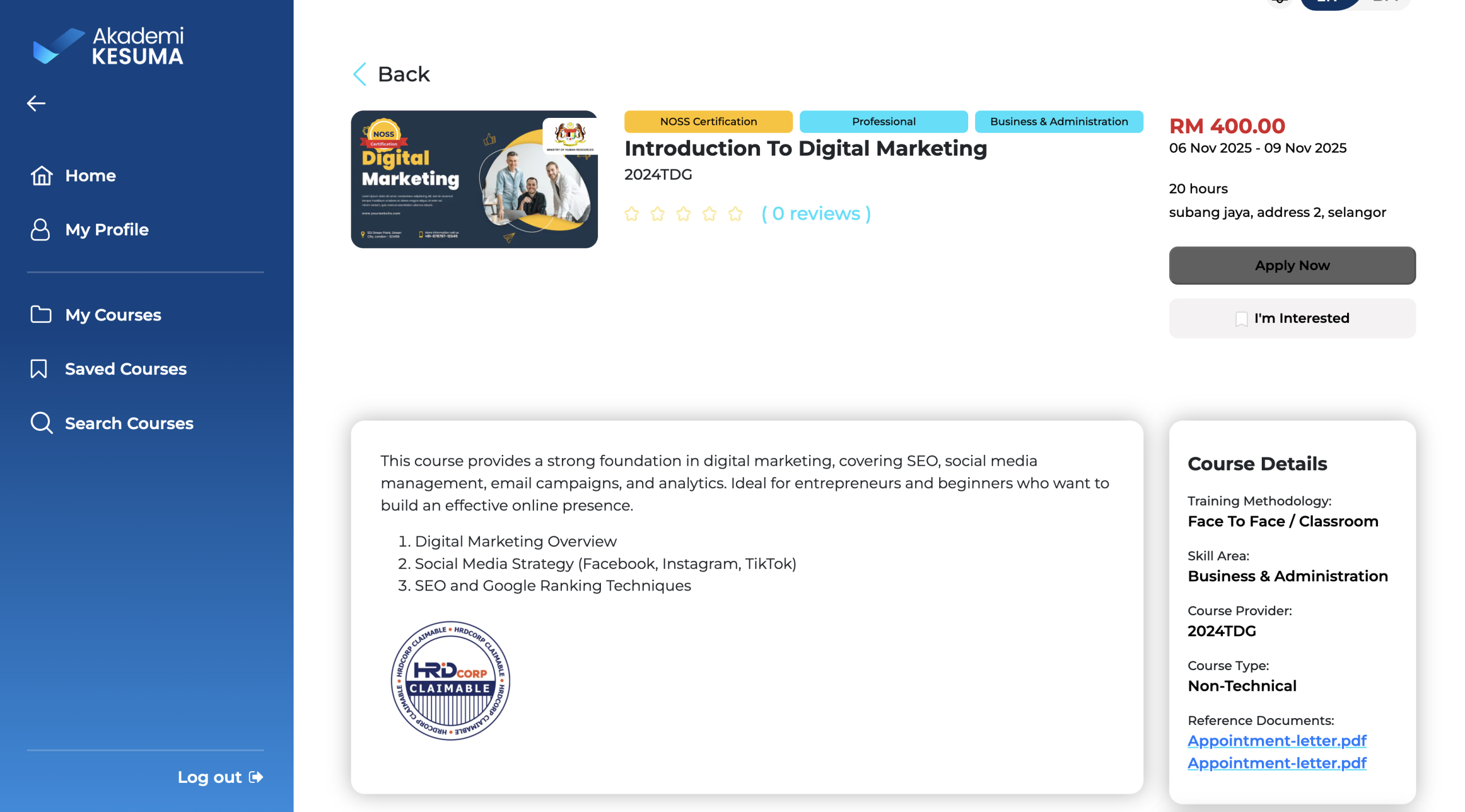
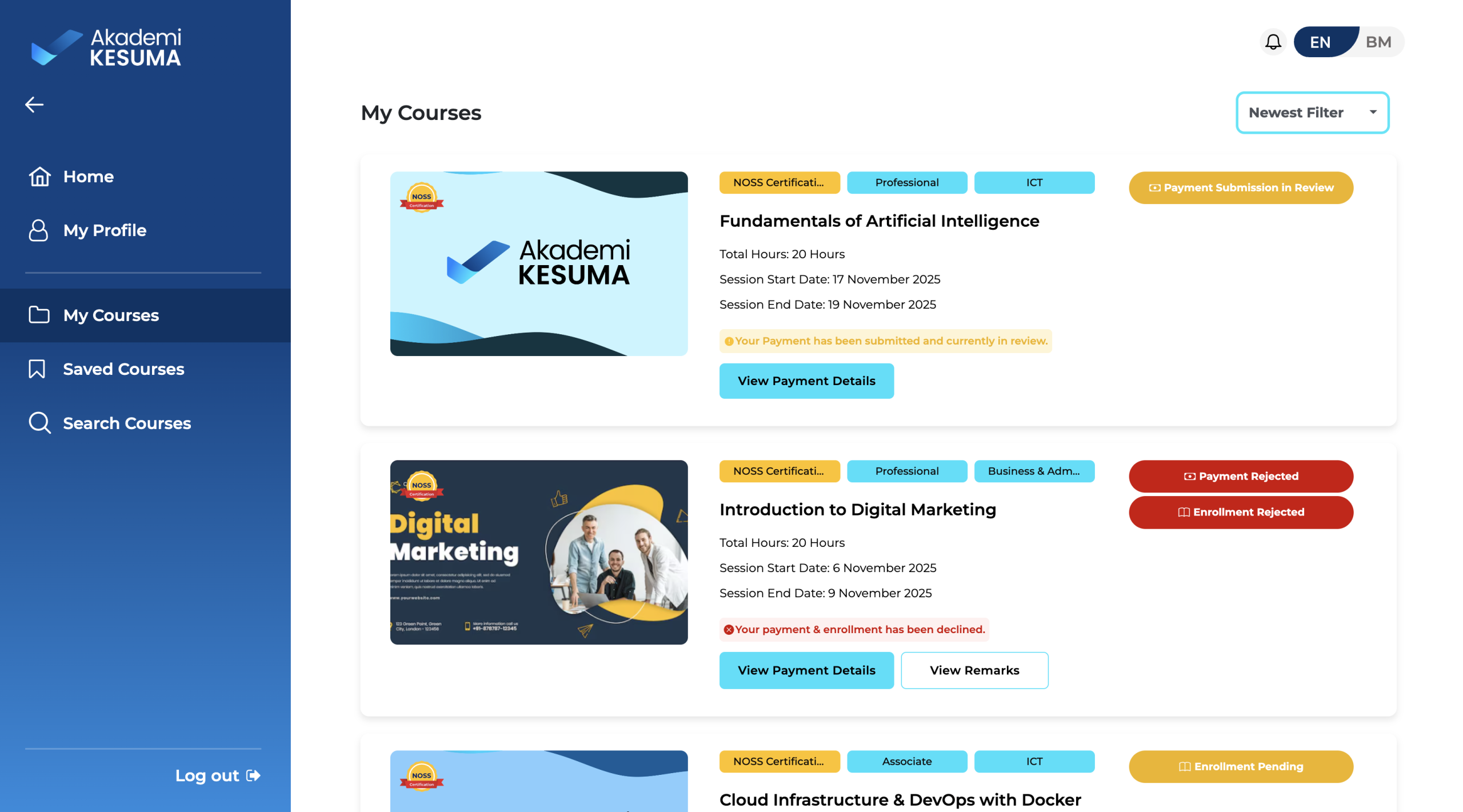
How to Login via MyDigitalID
Descriptions: Users can customise their avatar to represent their virtual identity. HRD Corp Employees have access to exclusive HRD Corp-branded outfits, while external users have standard avatar options.
How to Enroll Course
Descriptions: Users can customise their avatar to represent their virtual identity. HRD Corp Employees have access to exclusive HRD Corp-branded outfits, while external users have standard avatar options.
How to Upload Payment Proof for Payment Query
Descriptions: Users can customise their avatar to represent their virtual identity. HRD Corp Employees have access to exclusive HRD Corp-branded outfits, while external users have standard avatar options.
How to Withdraw from Enrolled Course
Descriptions: Users can customise their avatar to represent their virtual identity. HRD Corp Employees have access to exclusive HRD Corp-branded outfits, while external users have standard avatar options.
How to Request Course Completion
Descriptions: Users can customise their avatar to represent their virtual identity. HRD Corp Employees have access to exclusive HRD Corp-branded outfits, while external users have standard avatar options.
How to Claim Certification
Descriptions: Users can customise their avatar to represent their virtual identity. HRD Corp Employees have access to exclusive HRD Corp-branded outfits, while external users have standard avatar options.
How to View Certification
Descriptions: Users can customise their avatar to represent their virtual identity. HRD Corp Employees have access to exclusive HRD Corp-branded outfits, while external users have standard avatar options.
How to View Gamification and Certificate of Achievement
Descriptions: Users can customise their avatar to represent their virtual identity. HRD Corp Employees have access to exclusive HRD Corp-branded outfits, while external users have standard avatar options.
Course Status Flow
Descriptions: Users can customise their avatar to represent their virtual identity. HRD Corp Employees have access to exclusive HRD Corp-branded outfits, while external users have standard avatar options.
How to Search Course
Descriptions: Users can customise their avatar to represent their virtual identity. HRD Corp Employees have access to exclusive HRD Corp-branded outfits, while external users have standard avatar options.
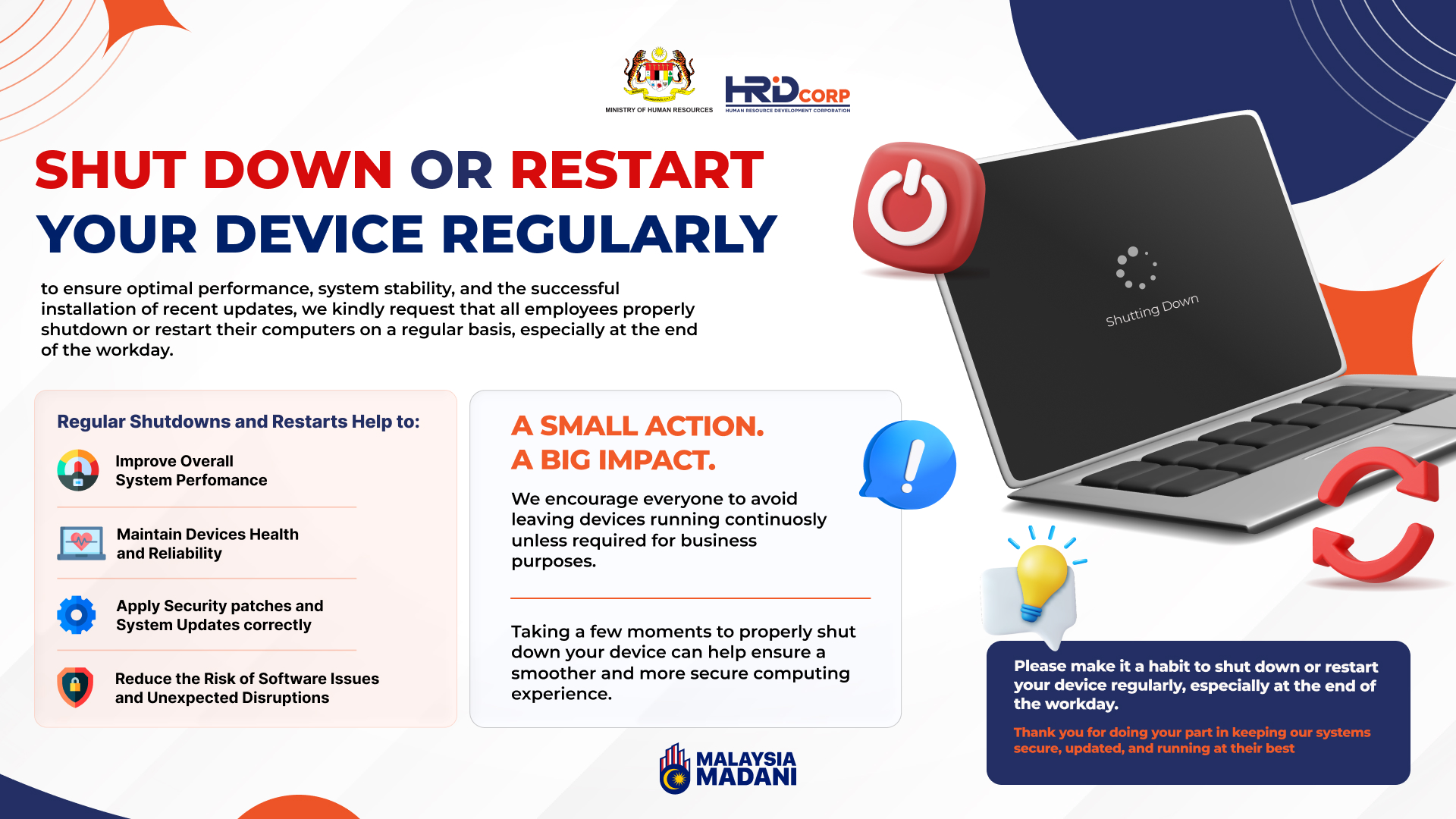
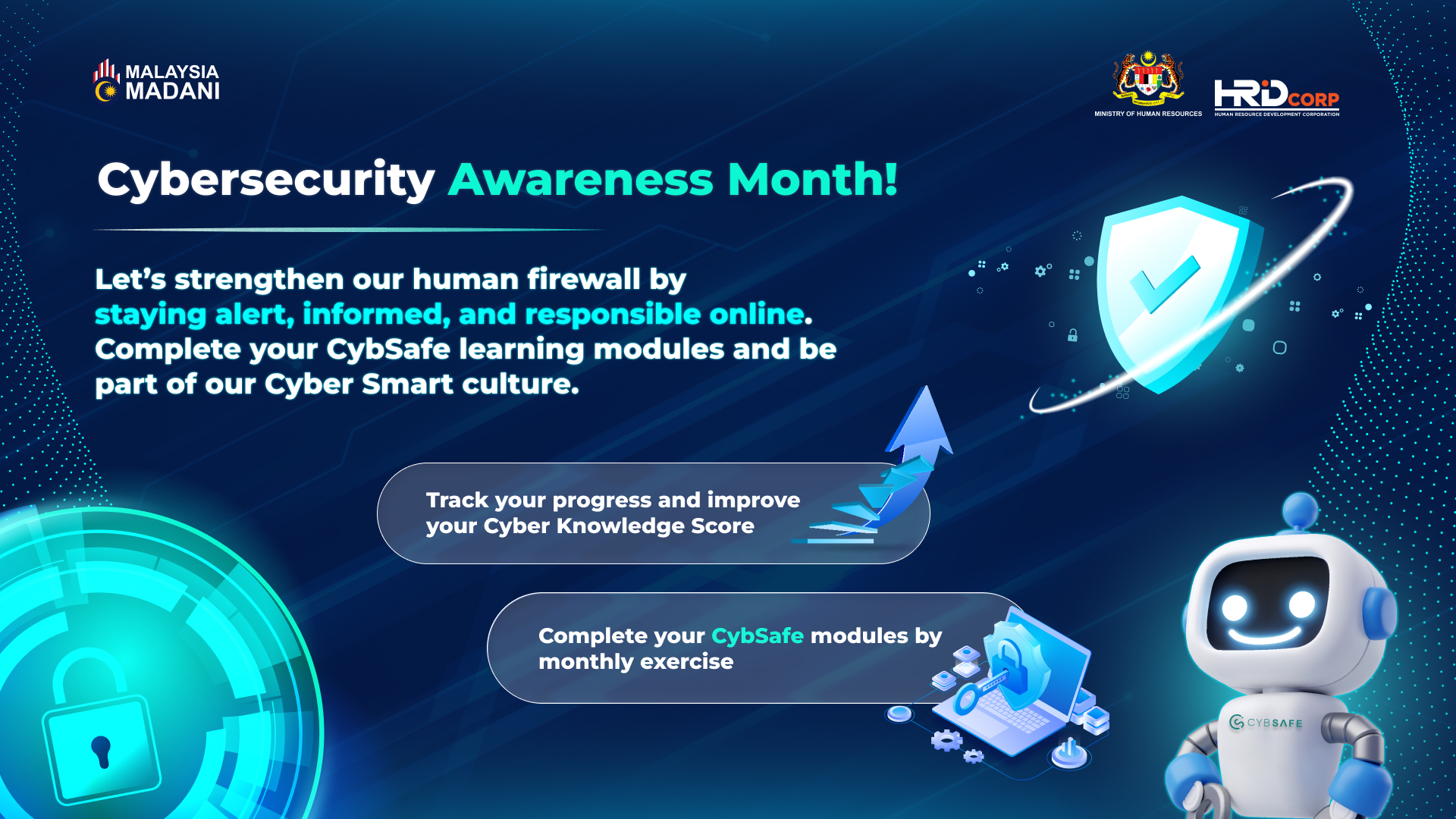
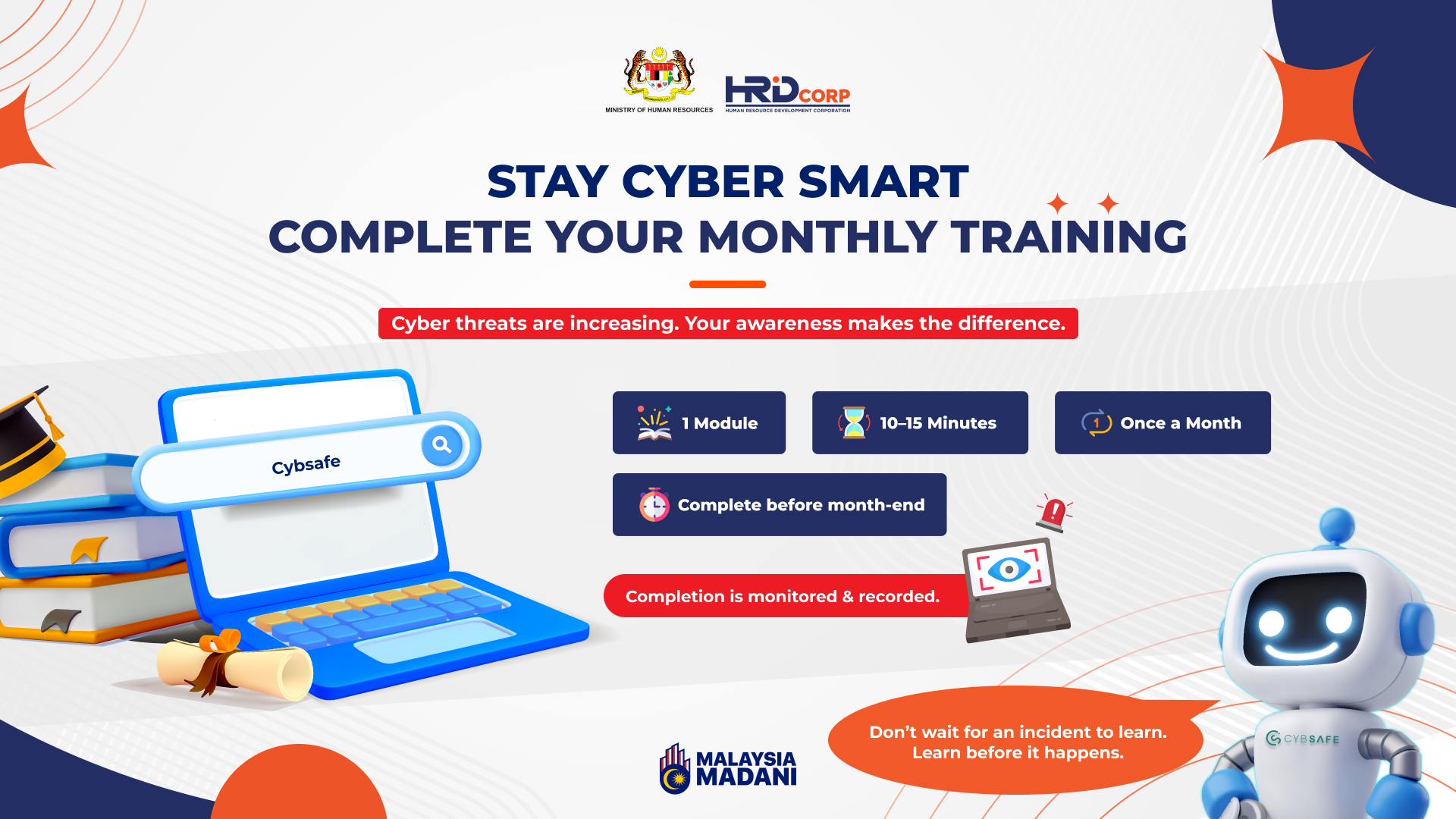
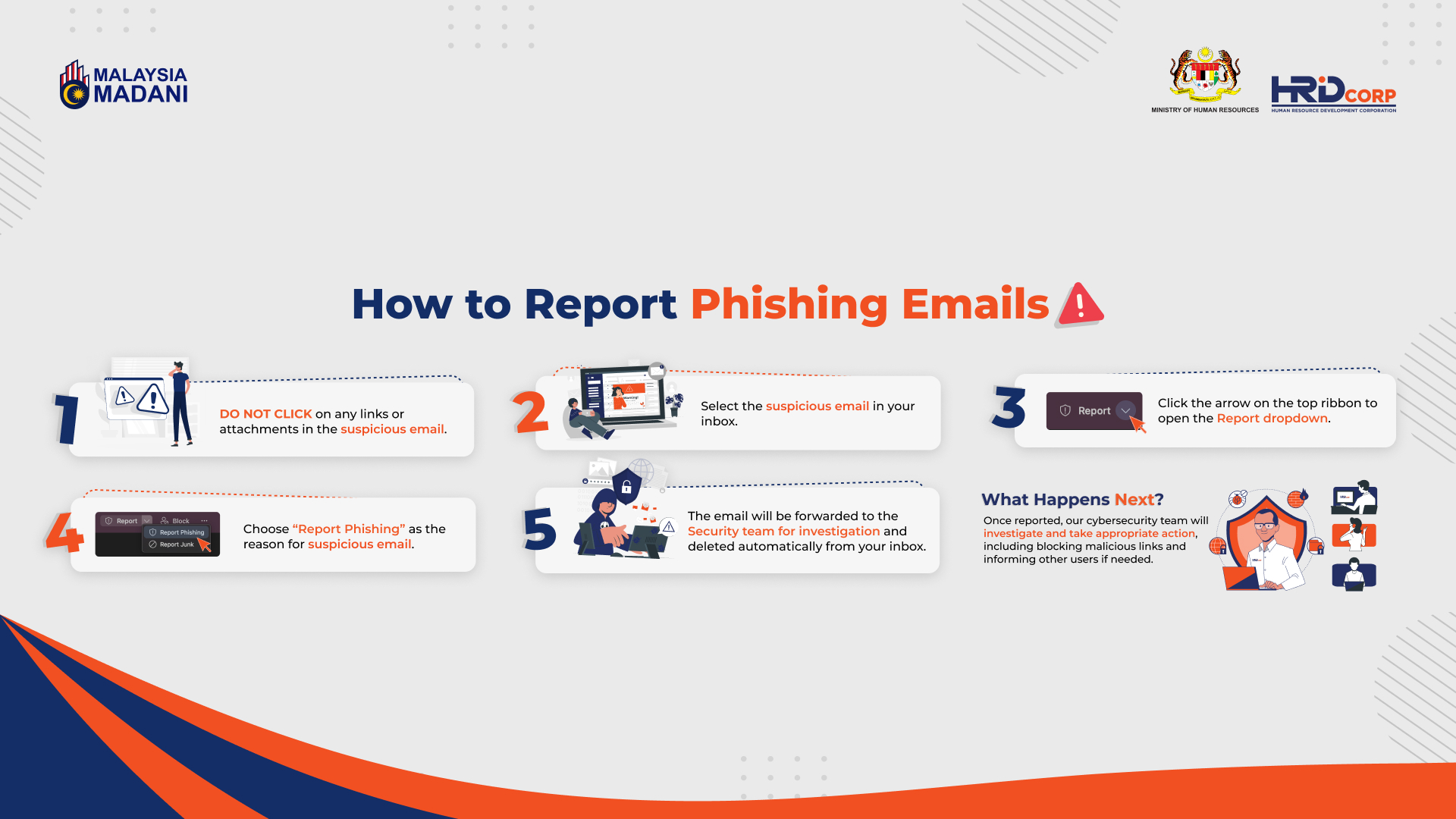
Poster Design
Fuel Management System (FMS), highlighting its ability to provide end-to-end visibility and analytics on fuel usage. It emphasizes features like real-time analytics, mobile access, and compliance with environmental and security standards. The system tracks engine running hours, fuel consumption, product transfers, and detailed activities, making it a comprehensive tool for managing fuel efficiently.